Updated on 21 September 2026
How to synchronize accounting data with your ERP
Keep the chart of accounts, journal and receivables/payables portfolio from your ERP up to date in Ubyquo.
In Ubyquo it is important to synchronize the changes made in the ERP or accounting software so that the accounting information used by the system stays up to date.
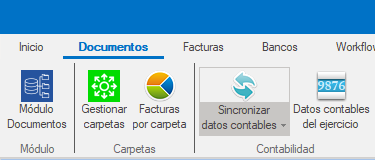
For this, Ubyquo has the “Sincronizar datos contables” (Synchronize accounting data) option, which lets you update different types of information using different synchronization modes.
If you use Sage Seos, see the specific procedure in SAGE - CSV connector.
What data can be synchronized?
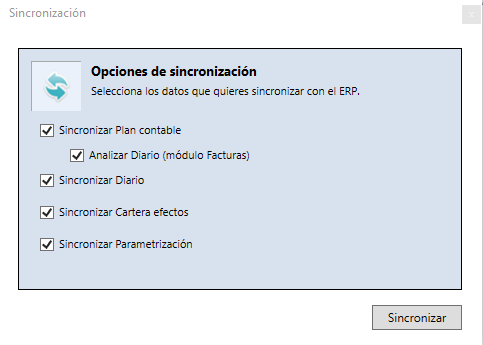
From Sincronizar datos contables you can update different types of information:
- Chart of accounts
- Analizar Diario (Analyze Journal), available in the Facturas (Invoices) module
- Accounting journal
- Receivables/payables portfolio
- Parametrización (Datos analíticos) (Setup: analytical data)
Synchronization options
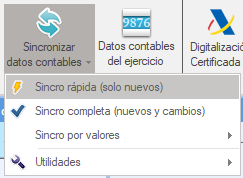
Ubyquo has several modes for synchronizing accounting data. The right option depends on how much information you need to update and on the type of change made in the ERP.
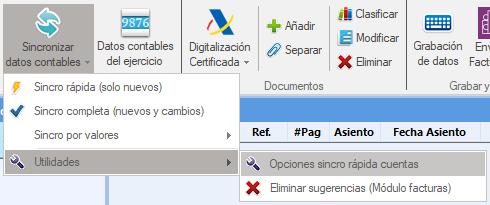
Quick synchronization
Quick synchronization updates only the latest changes detected by the ERP.
Its main features are:
- It imports only the latest changes detected by the ERP.
- If there are gaps in the account numbering, the synchronization may stop.
- It is recommended for quick daily synchronizations.
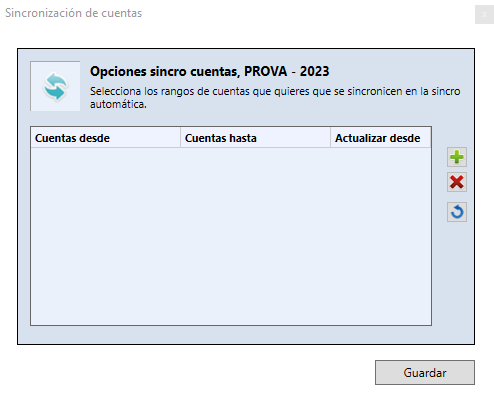
- You can define an account range to avoid interruptions during the process.
Smart Sync
Smart Sync is available for Sage ERPs.
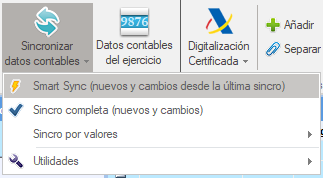
It works similarly to quick synchronization, but uses the modification date as a reference.
Smart Sync brings in the changes made since the last modification detected.
Full synchronization
Full synchronization reads all the data available in the ERP and brings it into Ubyquo.
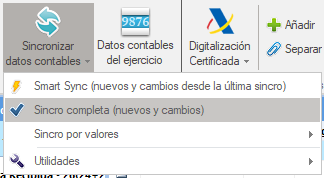
- It reads all the data available in the ERP.
- Data that already exists in Ubyquo is neither duplicated nor modified.
- The process can be slower than a quick synchronization.
- It ensures that the information in Ubyquo includes all the data from the ERP.
Synchronization by values
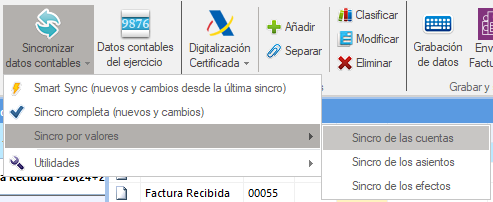
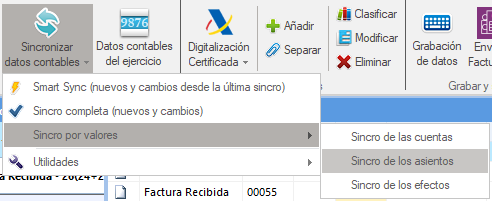
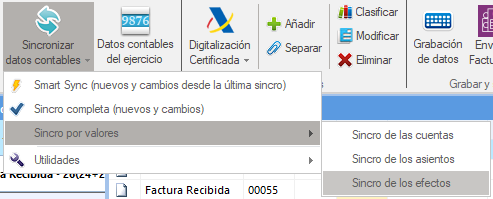
Synchronization by values minimizes synchronization time by updating only the information that is needed.
The available types are:
It synchronizes the accounts of the Chart of Accounts.
It synchronizes the journal entries.
It synchronizes the receivables/payables.
Inheriting the Chart of Accounts between fiscal years
Ubyquo lets you inherit the Chart of Accounts, the Journal and the Receivables/Payables Portfolio from one fiscal year to another.
To use this option:
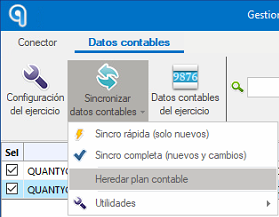
- Go to the Datos Contables (Accounting Data) tab.
- Click the Gestionar Carpetas (Manage Folders) icon.
- Select Heredar plan contable (Inherit chart of accounts).