
Updated on 21 September 2026
Fiscal year accounting data: chart of accounts and third parties
View and configure the accounts of the Chart of Accounts synchronized with your ERP or accounting software.
In the Documentos, Facturas and Bancos tabs of Ubyquo (Documents, Invoices and Banks) you will find the “Datos contables del ejercicio” (Fiscal year accounting data) option. From this section you can view and manage the accounting information synchronized with your ERP or accounting software.
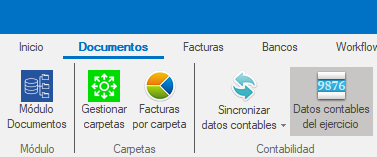
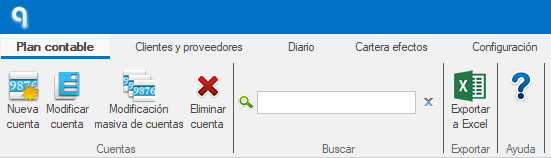
Chart of Accounts
The Plan Contable (Chart of Accounts) section lets you configure different fields and parameters of the accounts.
There are two ways to change the information:
Editing one account
It lets you edit a single account.
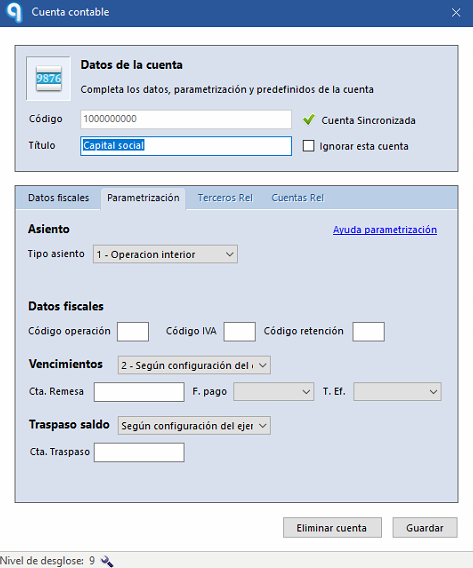
When you open the account record you can configure:
- Tipo de asiento (Journal entry type).
- Bases imponibles con 0 % de IVA (Taxable bases with 0% VAT).
- Código de operación (Operation code).
- Código de IVA (VAT code).
- Código de retención (Withholding code), mandatory when the account carries withholding tax.
- Configuración de vencimientos (Due date setup).
- Traspasos de saldo (Balance transfers).
- Nivel de desglose (Breakdown level).
Bulk editing of accounts
It lets you apply changes to several accounts at once.
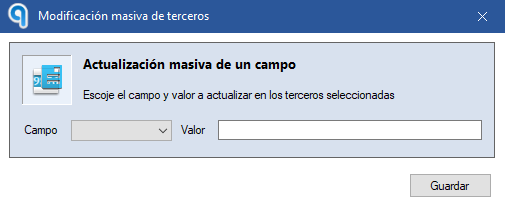
The same fields available in individual editing can be changed in bulk.
Important: in each bulk edit you can only change one field at a time.
Customers and Suppliers
The Clientes y Proveedores (Customers and Suppliers) section lets you view and edit the tax details of third parties.
There are also two ways to make changes:
Editing one third party
It lets you edit a single third party.
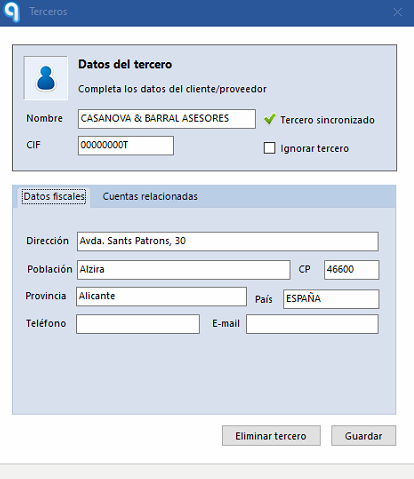
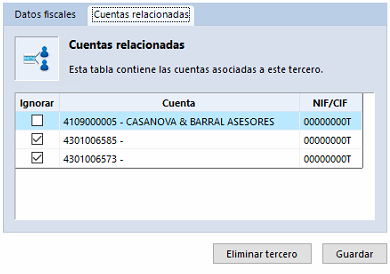
From the third party record you can:
- Edit the name.
- Edit the CIF.
- Edit other tax details.
- Ignorar cuentas en desuso (Ignore unused accounts).
If a third party has a single account, it is assigned automatically.
If it has several accounts, Ubyquo will not select an account automatically.
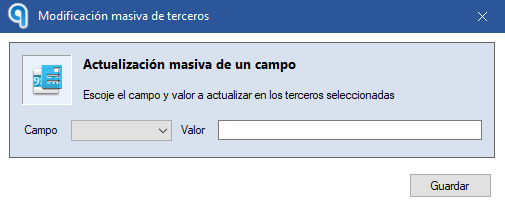
Bulk editing of third parties
It lets you apply changes to several third parties at once.
Journal
The Diario (Journal) section lets you view all the journal entries synchronized with Ubyquo.
You can view the entries in this section, but they cannot be edited directly.
Receivables/Payables Portfolio
The Cartera de Efectos (Receivables/Payables Portfolio) section lets you view all the synchronized receivables/payables.
Receivables/payables cannot be edited directly, but you can right-click one to access several options:
- Sincronizar valores seleccionados (Synchronize selected values).
- Eliminar de sugerencias (Remove from suggestions).
- Recalcular importe por punteo (Recalculate amount by matching).
- Cambiar estado del efecto (Change receivable/payable status).
Settings
The Configuración (Settings) section lets you define the mandatory analytical fields.
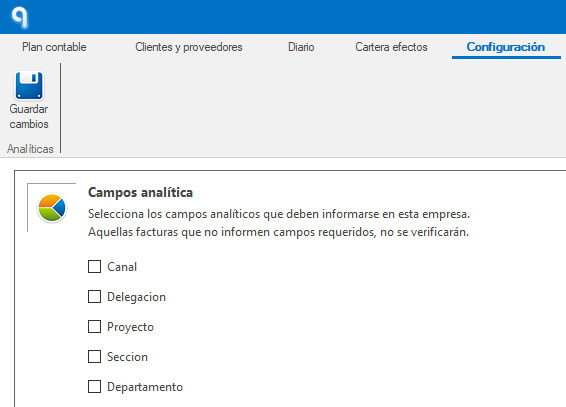
When an analytical field is set as mandatory, Ubyquo will not let you verify documents until that field has been filled in correctly.