
Updated on 21 September 2026
Number of digits and breakdown level of the chart of accounts
Adjust how many digits the ledger accounts of each company and fiscal year use in Ubyquo.
Ubyquo uses the breakdown level (nivel de desglose) to determine the number of digits of the ledger accounts shown and used in the chart of accounts.
By default, Ubyquo proposes the breakdown level based on the account with the highest number of digits in the ERP's chart of accounts.
This value can be changed to suit the needs of each company and fiscal year.
Change the breakdown level from Documents, Invoices or Banks
You can change the number of digits of the accounts from Documentos (Documents), Facturas (Invoices) or Bancos (Banks).
- Select the corresponding company and fiscal year.
- Click Datos contables del ejercicio (Fiscal year accounting data).
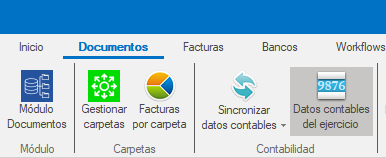
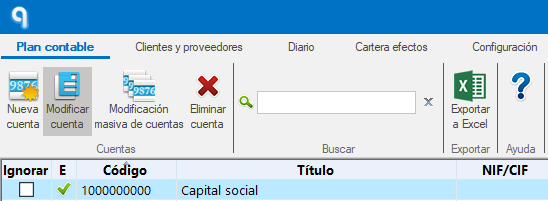
- Go to the Plan contable (Chart of accounts) tab and select the account you want to change.
- Click Modificar cuenta (Edit account).
- At the bottom of the window, find the Nivel de desglose (Breakdown level) field.
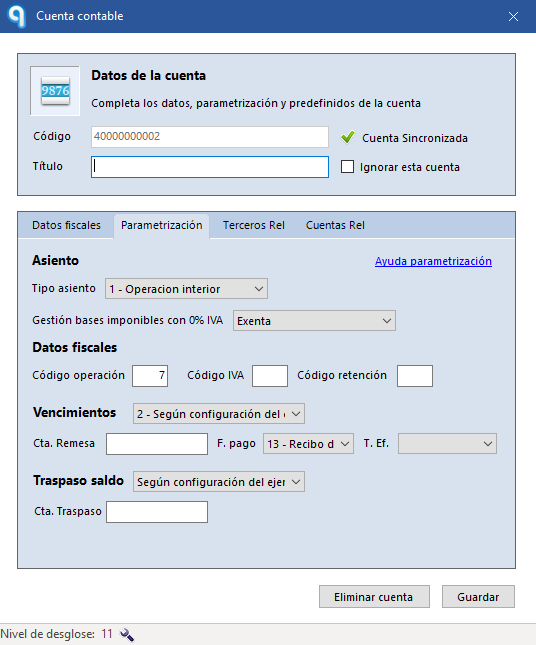
- Click the key icon to change the number of digits.
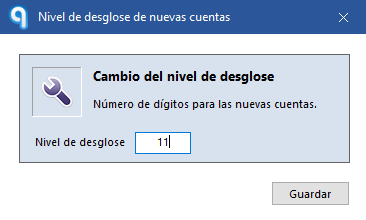
- Save your changes.
Change the breakdown level from the Invoice Editor
You can also change the breakdown level directly from the Editor de facturas (Invoice Editor).
- Open the Editor de facturas.
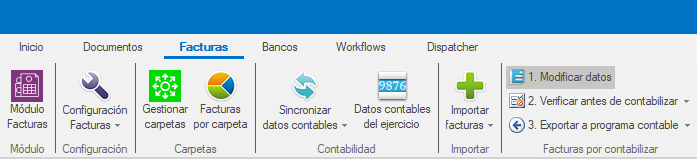
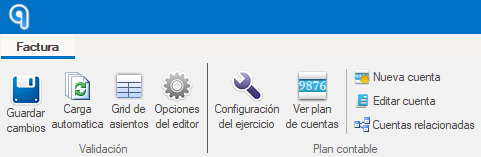
- Click Editar cuenta (Edit account).
- At the bottom of the window, find the Nivel de desglose field.
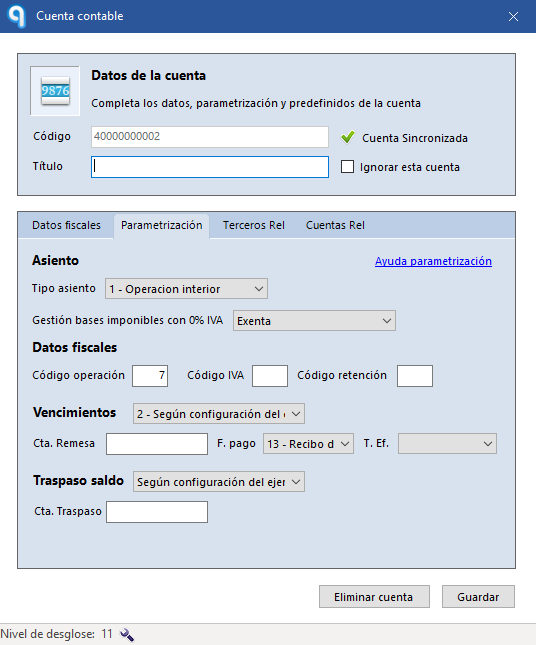
- Use the key icon to change the number of digits.
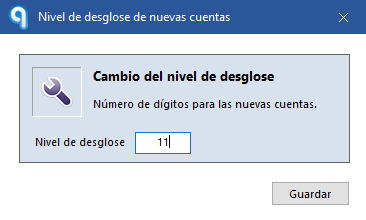
- Save your changes.
Scope of the change
The breakdown level setting only applies to the selected company and fiscal year.