
Updated on 21 September 2026
How to detect and compare duplicate invoices
Check whether an invoice is already registered and compare it with its duplicate in a few steps.
Ubyquo lets you detect and review duplicate invoices to check whether a document has already been registered and to find the related invoices.
Go to the duplicates folder
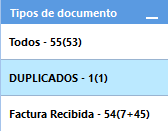
Go to the folder where Ubyquo stores the invoices detected as duplicates.
Select a duplicate invoice
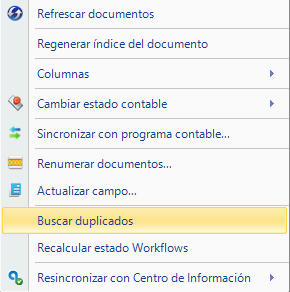
- Right-click the invoice you want to review.
- Select Buscar duplicados (Find duplicates) in the context menu.
Compare the invoices
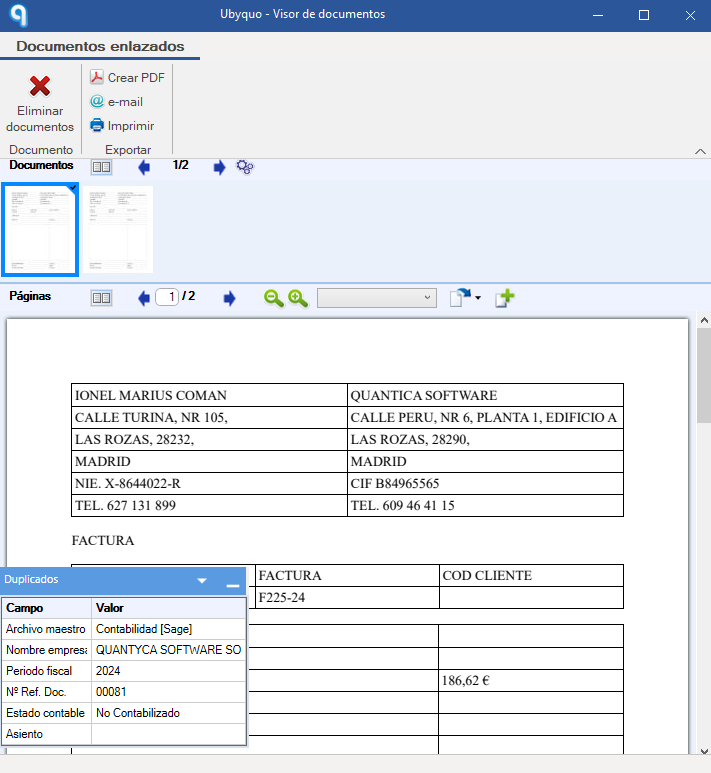
A window will open where you can compare the selected invoice with the duplicate invoice.
Click Duplicados (Duplicates) in the information box to see the full details of the comparison.
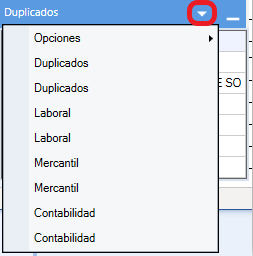
Review the duplicate documents
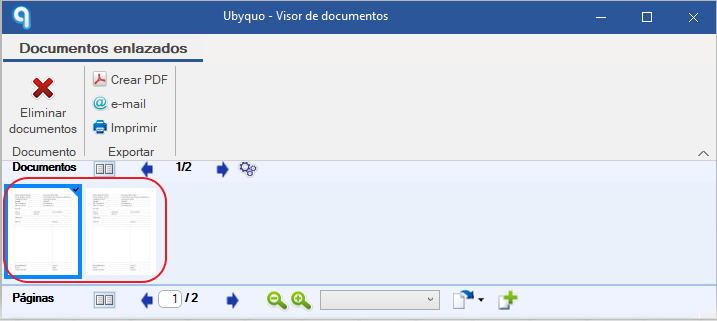
From this screen you can move between the two invoices to:
- Compare the differences between the two documents.
- Identify the location of each invoice within Ubyquo.
This review lets you check which documents have been detected as duplicates and locate each one in the system.