
Updated on October 9, 2026
How to detect and compare duplicate invoices
Check whether an invoice is already registered and compare it with its duplicate in a few steps.
Ubyquo lets you detect and review duplicate invoices: check whether a document has already been registered and find the related invoices.
- 1
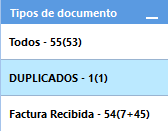
Open the duplicates folder
Go to the folder where Ubyquo stores the invoices detected as duplicates.
- 2
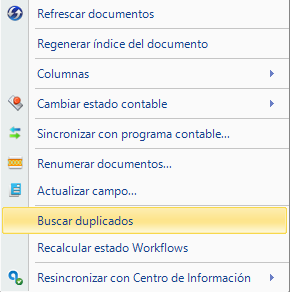
Choose “Buscar duplicados”
Right-click the invoice you want to review and select Buscar duplicados (Find duplicates) in the menu.
- 3
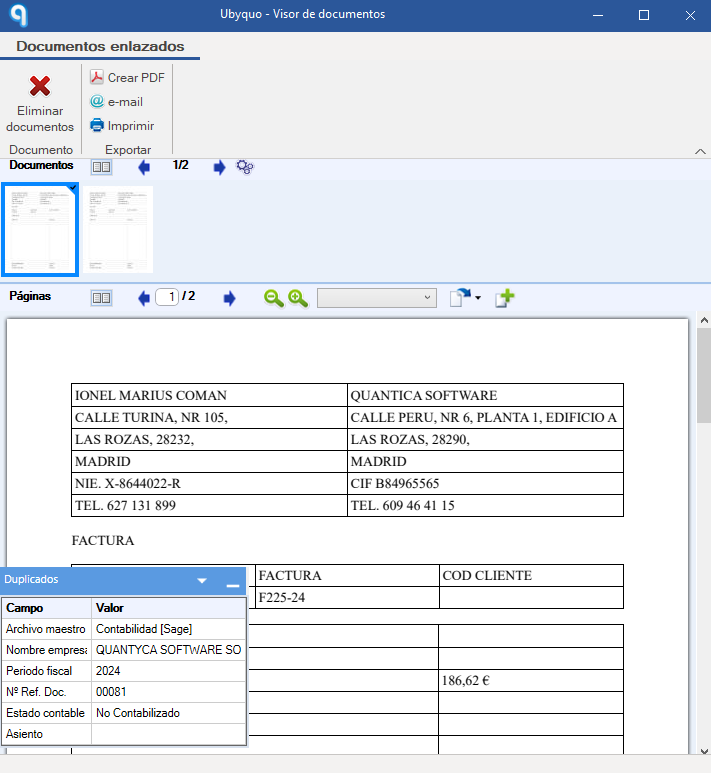
Compare the invoices
A window opens where you can compare the selected invoice with the duplicate.
- 4
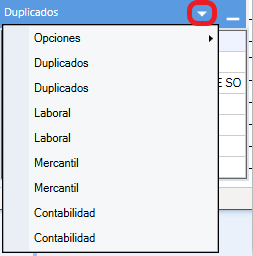
Click “Duplicados”
In the information box, click Duplicados (Duplicates) to see the full details of the comparison.
- 5
Review both invoices
Move between the two invoices to:
Compare the differences between themSee where each one is in Ubyquo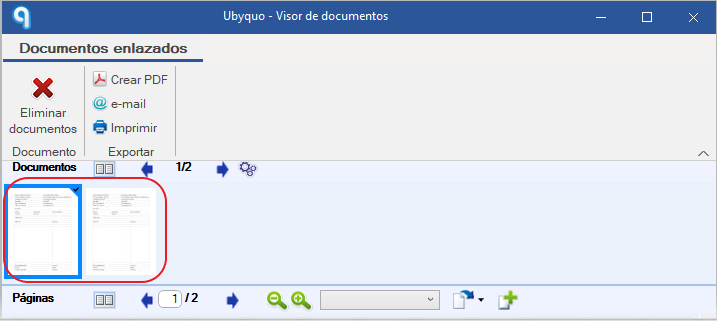
All done! You now know which documents have been detected as duplicates and where each one is.