
Updated on September 21, 2026
How to create companies and fiscal years in Ubyquo
Add the companies and fiscal years from your ERP in bulk or one by one from Gestionar Carpetas (Manage Folders).
In Ubyquo you can create companies and fiscal years in two ways: using Creación masiva (Bulk creation), to add several companies and fiscal years at once, or using Creación manual (Manual creation), to create a single company and fiscal year.
If you use Sage Seos (Cloud), see the specific procedure in SAGE - CSV connector.
Bulk creation of companies and fiscal years
Creación masiva lets you add several companies and fiscal years available in the ERP at once.
Go to Gestionar Carpetas
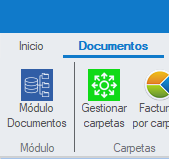
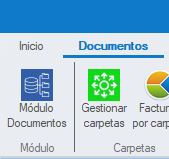
Go to Documentos > Gestionar Carpetas (Documents > Manage Folders).
Select Creación masiva
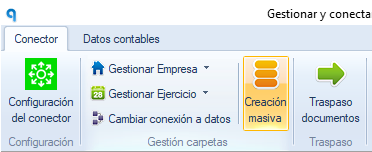
Click Creación masiva.
Select the companies and fiscal years
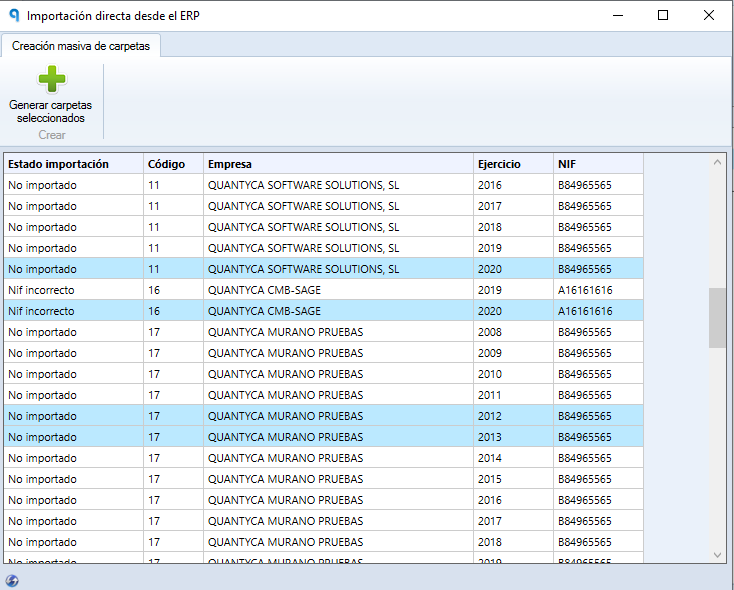
In the Creación masiva window:
- The companies and fiscal years available in your ERP will appear.
- Select the companies and fiscal years you want to add.
- Click “Generar carpetas seleccionadas” (Generate selected folders).
Updating companies and fiscal years in A3ECO and A3CON
If you use A3ECO or A3CON and the companies or fiscal years do not appear in the list, you need to refresh the available information.
- From the Documentos, Facturas or Bancos tab (Documents, Invoices or Banks), click Gestionar Carpetas.
- Select Cambiar conexión a datos (Change data connection).
- At the bottom left, click Refrescar (Refresh).
- Wait for the process to finish and close the window.

Check the import status
Once the folders have been generated, check that the “Estado importación” (Import status) column shows “Importación correcta” (Import successful).
Grant permissions
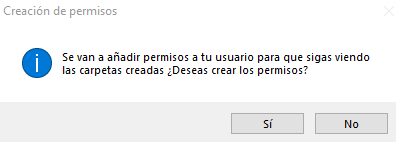
If the user running the process is not an administrator, a window asking for permissions will appear.
Click “Sí” (Yes) to grant the necessary permissions.
Finish the process
Close the open windows to go back to the main Documentos view.
Manual creation of a company and a fiscal year
Creación manual lets you create a single company and its fiscal year.
Go to Gestionar Carpetas
Go to Documentos > Gestionar Carpetas.
Create the company
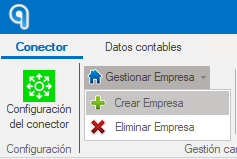
Click Gestionar Empresa > Crear Empresa (Manage Company > Create Company).
Enter the company details
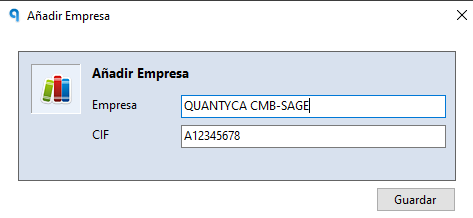
Fill in the requested details:
- Nombre de la empresa (Company name).
- CIF.
Click Guardar (Save).
Create the fiscal year
Go to Gestionar Ejercicio > Crear Ejercicio (Manage Fiscal Year > Create Fiscal Year).
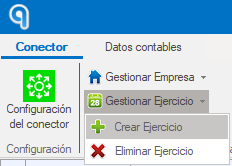
Enter the corresponding year and click Guardar.
Synchronize the Chart of Accounts
Once the company and the fiscal year have been created, finish the process by synchronizing the corresponding Plan Contable (Chart of Accounts).