
Updated on 20 November 2026
Marking a company as exempt from the Anti-Fraud Law
How to mark a company as exempt from the Anti-Fraud Law, with its exemption reason, and how to remove the exemption.
Mark the company as exempt
- 1
Find the company and open its row menu
In the Invoicing tool sign-up. The company must be active (with the tick in the «Activa», Active, column).
- 2
Choose «Empresa exenta Ley Antifraude»
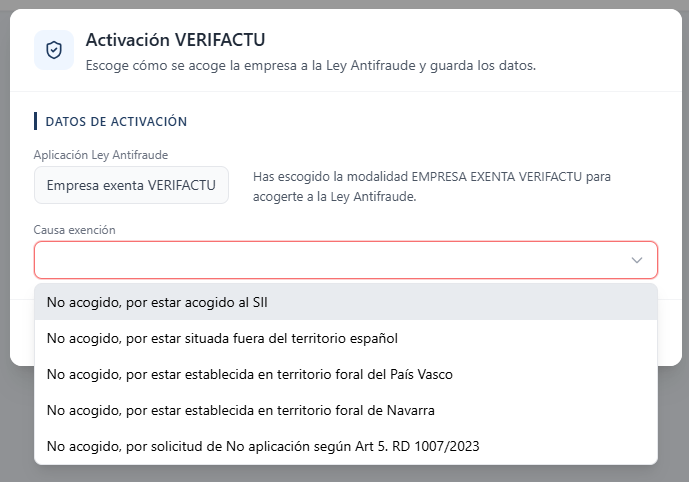
The «Activación VERIFACTU» (VERIFACTU activation) window opens, with «Aplicación Ley Antifraude» (Anti-Fraud Law application) set to «Empresa exenta VERIFACTU» (Company exempt from VERIFACTU).

- 3
Choose the exemption reason
In «Causa exención» (Exemption reason) there are five reasons: being under the SII, being located outside Spanish territory, being established in the chartered territory of the Basque Country or Navarre, or having requested non-application under art. 5 of Royal Decree 1007/2023. Without a reason, «Guardar» (Save) is disabled.
- 4
Click «Guardar» and then «Refrescar»
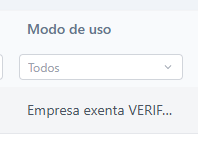
«Datos guardados correctamente.» (Data saved successfully) appears. The company is shown as «Empresa exenta VERIFACTU», with details saying this option is right if the company is not subject to the Anti-Fraud Law, and today's date in «Inicio» (Start). To leave without saving, click «Cancelar» (Cancel).
Remove the exemption
- 1
Choose «Desactivar empresa exenta»
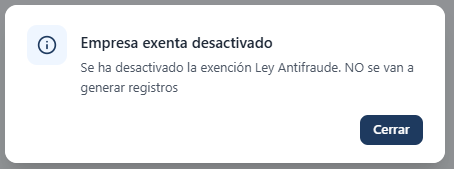
In the exempt company's menu («Desactivar empresa exenta», Turn off exempt company). Without asking for confirmation, «Empresa exenta desactivado» (Exempt company turned off) appears, warning that the Anti-Fraud Law exemption has been turned off and no records will be generated.

- 2
Click «Cerrar» and then «Refrescar»
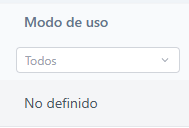
The company goes back to «No definido» (Not defined) and its menu offers «Empresa exenta Ley Antifraude» again.
What each mode means: VERIFACTU, NO VERIFACTU and exempt.