
Updated on 24 September 2026
Match a bank transaction that pays several invoices
How to link a single payment received to the journal entries and receivables of several invoices from the same customer.
When a single bank transaction corresponds to the payment of several invoices from the same customer, you can assign the contra account and review Ubyquo's suggestions to link the corresponding journal entries and their receivable/payable items.
Assign the customer's contra account
Select the correct contra account for the bank transaction, making sure it corresponds to the customer the invoices belong to.
Review the suggestions
Once the contra account is assigned, review the new suggestions that appear in the editor.
These suggestions will show the journal entries related to the customer, which you can use to do the matching.

Check the receivables/payables
If there are several receivable/payable items associated with the journal entries, select the ones that correspond to the payment.
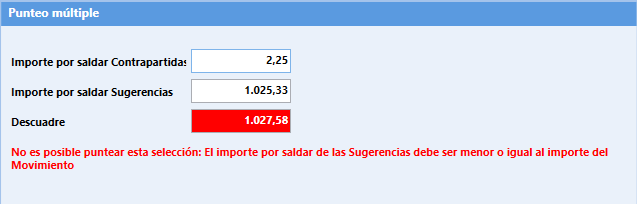
Check that the amounts of the transactions and the selected items show no mismatches, to keep the accounting consistent.
Do the matching
Ubyquo lets you do the matching in different ways, depending on how the bank transactions and journal entries have been recorded:
- Several bank transactions with a single suggestion.
- One suggestion linked to several bank transactions.
This flexibility lets you adapt the linking of bank transactions to each company's accounting practice.