
Updated on 24 September 2026
How to do a bank reconciliation
Mark the transactions that are already in your accounting software so you don't post them again.
Bank reconciliation lets you identify the bank transactions that are already posted in the ERP or accounting software, preventing them from being recorded again in Ubyquo.
Important: Do this process whenever you have bank transactions that are already posted in the accounting software.
Steps to do the bank reconciliation
1
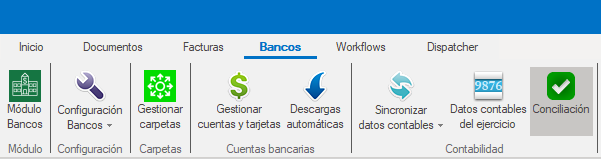
Open the Conciliación option
From the Bancos (Banks) tab, open the Conciliación (Reconciliation) option.
2
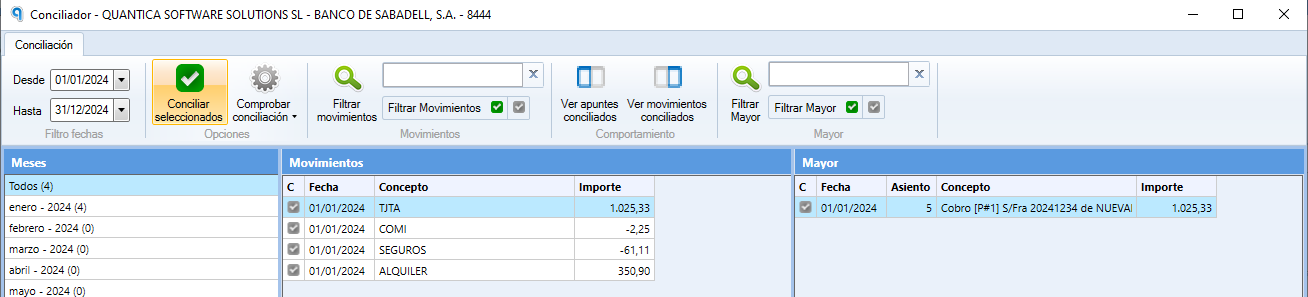
Reconcile the bank transaction
- Find the bank transaction you want to reconcile.
- Click Conciliar (Reconcile).
3
Undo a reconciliation
If you need to undo a reconciliation:
- Find the reconciled transaction.
- Right-click it.
- Select Desconciliar (Unreconcile).