Updated on 24 September 2026
The transactions editor does not show account suggestions
Check the immediate account suggestion setting and the day range when the editor does not propose accounts.
What to do if suggestions are not shown?
If account suggestions do not appear in Ubyquo, check the following settings.
1
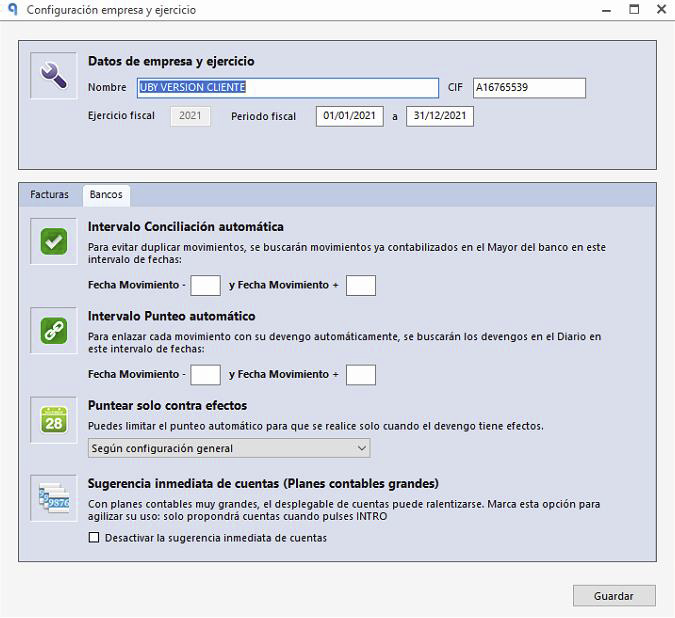
Check the “Desactivar la sugerencia inmediata de cuentas” (Disable immediate account suggestions) option
If the Desactivar la sugerencia inmediata de cuentas box is checked, suggestions will not be shown automatically.
In this case, press the Intro (Enter) key so that Ubyquo shows the available accounts.
2
Check the day range
Check that the day range for showing suggestions is set correctly.
An incorrect day range may prevent Ubyquo from finding and showing the suggestions that correspond to the transaction.