
Updated on 24 September 2026
How to export sorted invoices to PDF for the AEAT
Prepare the documents of a fiscal year as PDFs, sorted by VAT Register, when the Spanish Tax Agency asks for them.
When the AEAT (Spanish Tax Agency) requests additional documentation, Ubyquo can export the documents of a fiscal year to PDF, sorted by the VAT Register (Registro de IVA).
Prepare the data in the accounting software
Before exporting from Ubyquo, carry out the following in your accounting software:
- Renumbering of journal entries
- Renumbering of the VAT register
This ensures that the information later used in Ubyquo is up to date.
Synchronize the data in Ubyquo
Go to the Documentos (Documents) tab.
At the top, select:
Sincronizar datos (Synchronize data)
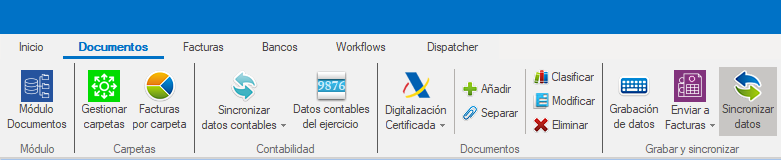
Several synchronization options will appear.
Select Todos los documentos del ejercicio (All documents of the fiscal year).
This is the recommended option for this process.
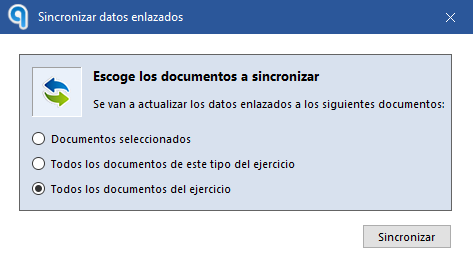
Wait for the synchronization to finish before continuing.
Sort the documents by VAT Register
Once the synchronization has finished:
- Click the Registro IVA (VAT Register) header to sort the documents from lowest to highest registration number.
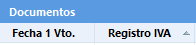
- Select all the documents you want to export.
Ubyquo can show up to 500 documents per page. You can set the number of visible documents at the bottom of the screen.

Export the documents to PDF
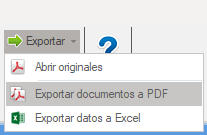
With the documents selected, click the following at the top:
Exportar (Export)
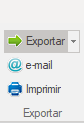
Then select:
Exportar documentos a PDF (Export documents to PDF)
Select the location where you want to save the documents.
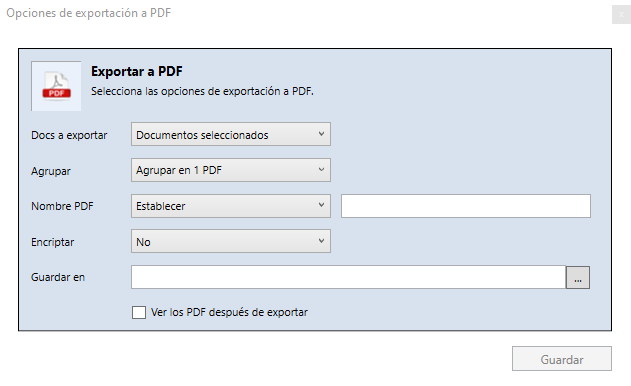
Combine the documents into a single PDF
If you want to generate a single PDF file with all the selected documents, turn on the option:
Agrupar en un solo documento PDF (Combine into a single PDF document)
When you use this option, the documents are combined following the order set by the VAT Register.
Export specific documents
If you only need to extract certain invoices or documents, you can also export directly from the Documentos or Facturas tabs, selecting only the documents you need.