
Updated on 24 September 2026
How to manually download a stuck invoice batch
What to do when a batch has been processing for 24 hours or more and you need to force its download.
When a batch has been processing for 24 hours or more, you can manually force its download from Ubyquo.
Steps to force the batch download
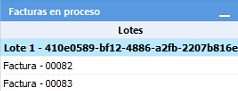
Select the batch
From the Facturas (Invoices) tab, go to the En proceso (Processing) section and select the batch you want to download.
Send the batch to “Por contabilizar” (To post)
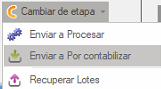
With the batch selected, go to:
Cambiar etapa > Por contabilizar (Change stage > To post)
Retrieve the data from Ubyquo Facturas
In the Por contabilizar section, select all the downloaded invoices.
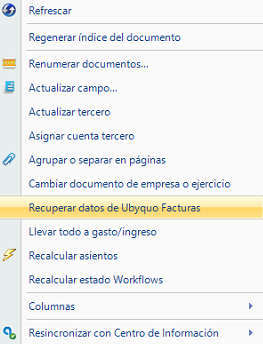
Right-click the selection and choose:
Recuperar datos de Ubyquo Facturas (Retrieve data from Ubyquo Facturas)
Recalculate the journal entries
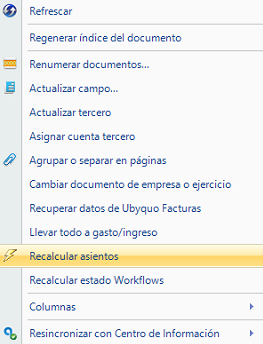
Repeat the previous process and, this time, select:
Recalcular asientos (Recalculate journal entries)
Once these steps are complete, the batch will have been downloaded manually and the invoice data will be updated in Ubyquo.