
Updated on 24 September 2026
Intra-community invoices and reverse charge
Set VAT to 0% and use accounts 472 and 477 so these invoices can be verified.
Intra-community invoices and invoices subject to the reverse charge (inversión del sujeto pasivo) must have certain data set up correctly before they are verified.
to verify the invoice, you must set VAT (IVA) to 0%.
Invoice setup
Check that the following fields are filled in correctly:
- VAT (IVA): it must always be set to 0%.
- — On the Cliente/Proveedor (Customer/Supplier) record, VAT may be set to 21% by default, so you need to change it on the invoice.
- Input VAT account (IVA soportado): it must be a 472… account
- Output VAT account (IVA repercutido): it must be a 477… account
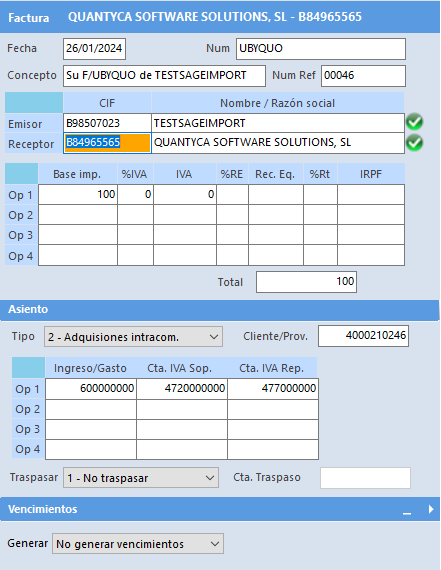
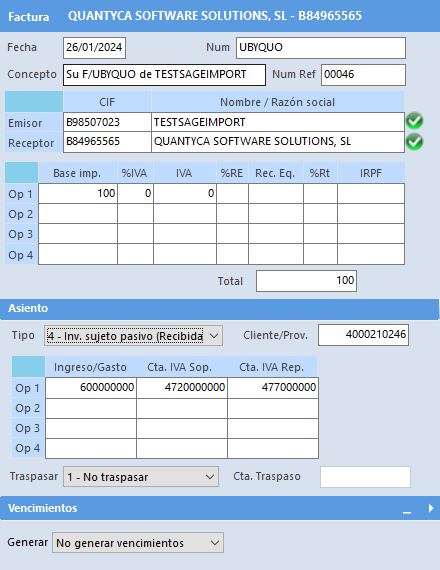
Once you have checked this data, the invoice can continue with the verification process.