
Updated on 18 September 2026
CENTRAL eFACTURA news: July 2025
Review the invoicing tool changes: Public Administration customers, currency on items, and more improvements.
New Features and Improvements
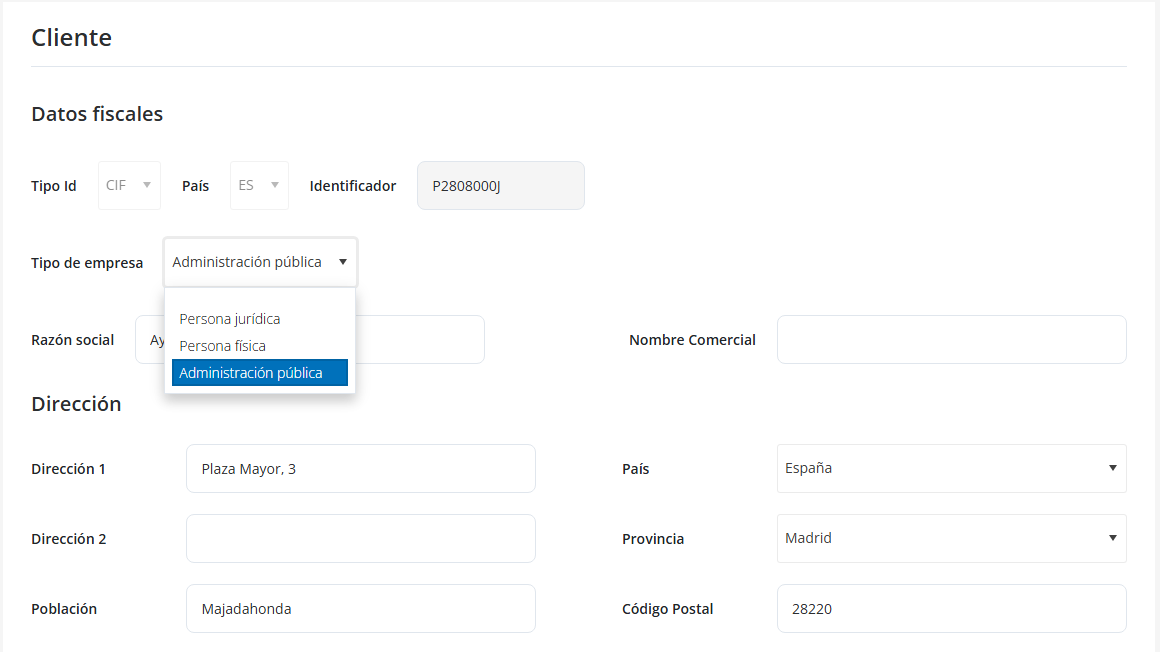
Clientes (Customers) > “Clientes” form
- Added a new company type: “Administración Pública” (Public Administration).
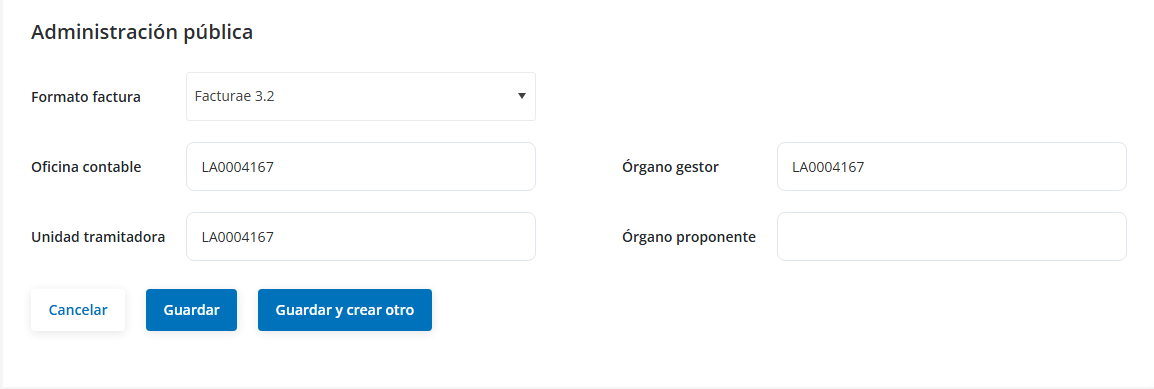
- “Administración Pública” section added with its own fields.
(Only visible if the customer has a Public Administration profile)
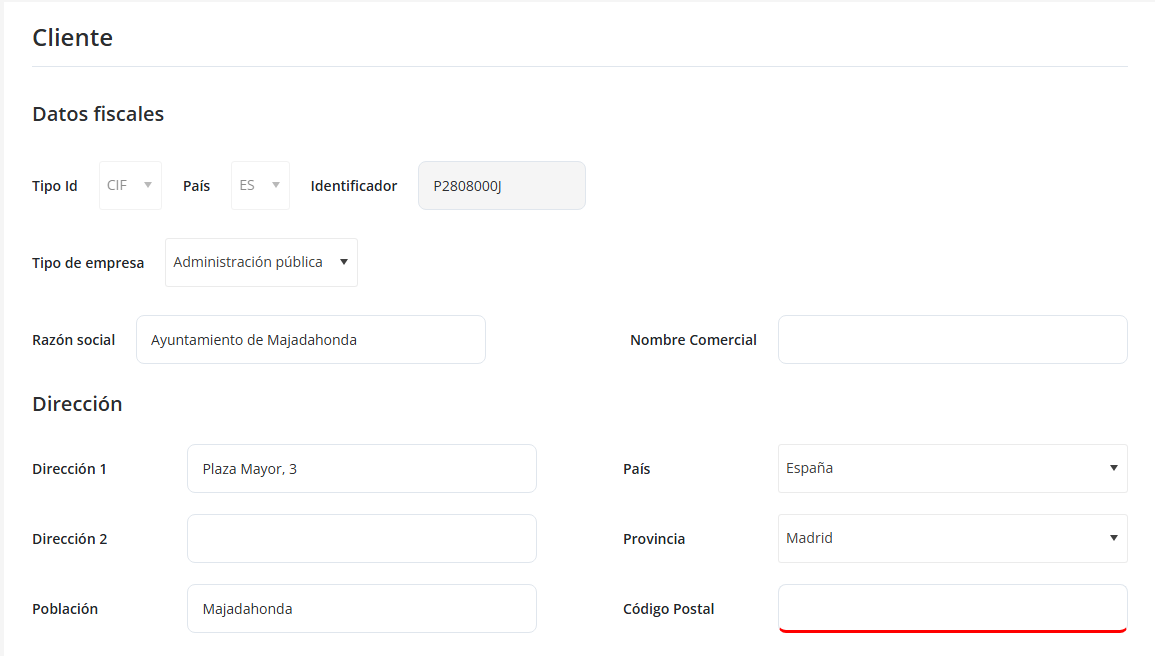
“Dirección” (Address) section
- “Código Postal” (Postal Code) is now a required field for Public Administration customers.
“Otros datos” (Other details) section
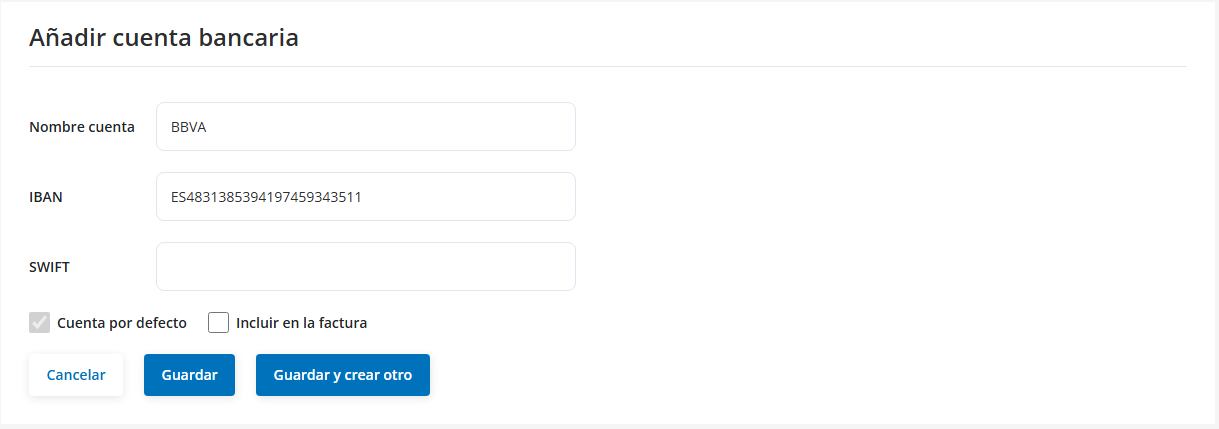
- “Cuentas bancarias” (Bank accounts) field (linked to the payment method: Transferencia (bank transfer)).

- “Cuenta bancaria” (Bank account) field (linked to the payment method: Recibo (direct debit)).

- New field: “Divisa” (Currency).

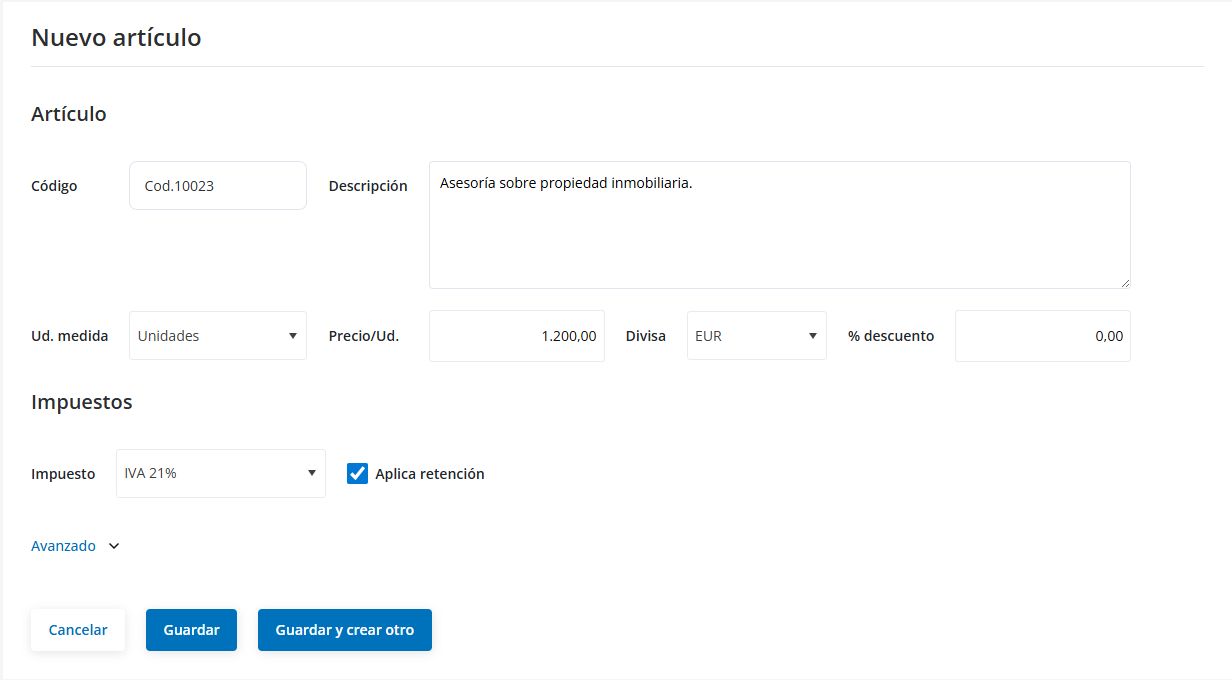
Artículos (Items) > “Artículos” form
- Added the “Divisa” field.
- Added the “Guardar y crear otro” (Save and create another) button.
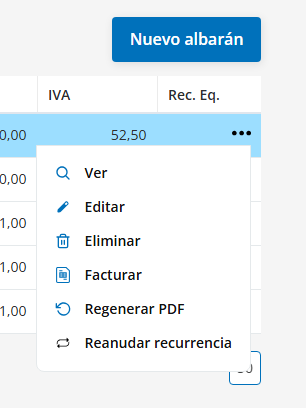
Albaranes (Delivery Notes) > Delivery notes table > Options menu
- New option “Reanudar recurrencia” (Resume recurrence) (only available on recurring delivery notes).
- The “Duplicar” (Duplicate) option is not available on recurring delivery notes.
Albaranes > “Albaranes” form
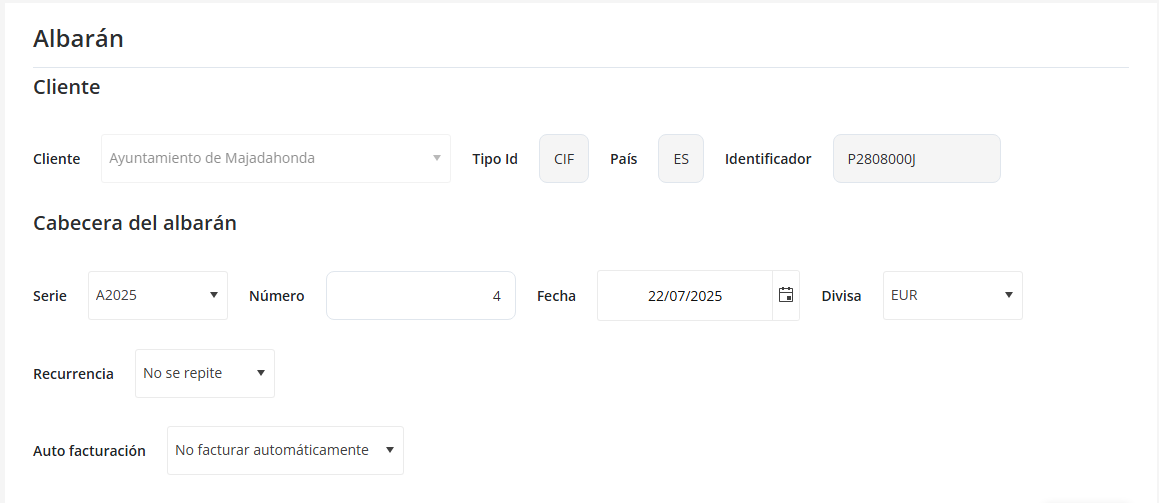
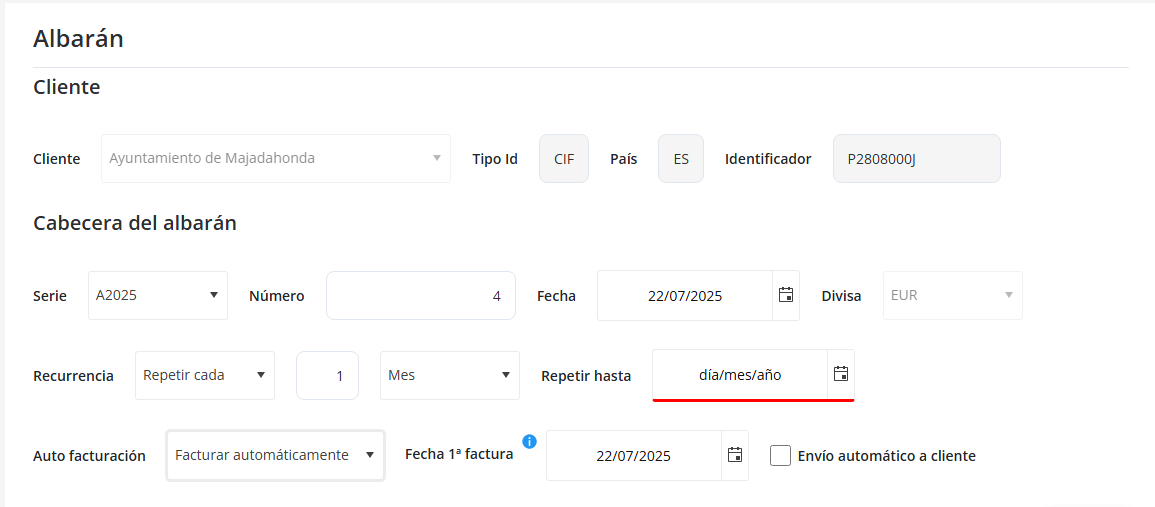
“Cabecera del Albarán” (Delivery note header) section
- “Divisa” field.
- “Recurrencia” (Recurrence) field with its subfields.
- “Auto facturación” (Auto-invoicing) field with its subfields.
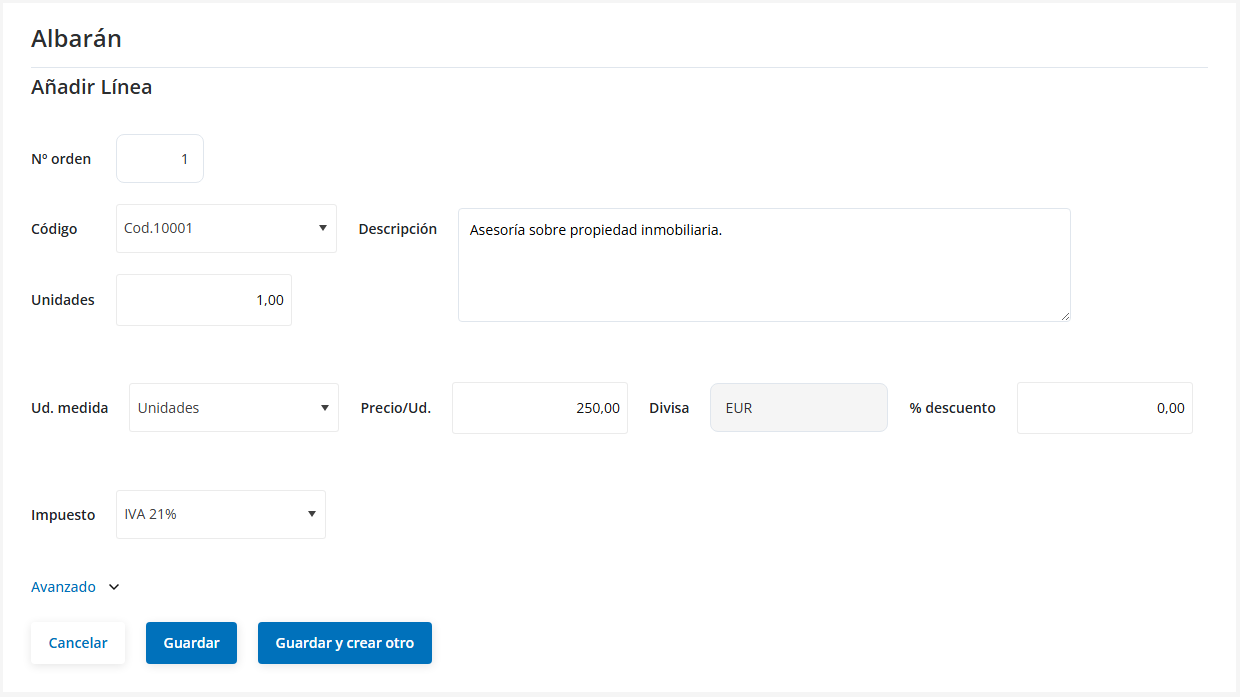
“Añadir Línea” (Add Line) form
- “Divisa” field.
- “Guardar y crear otro” button.
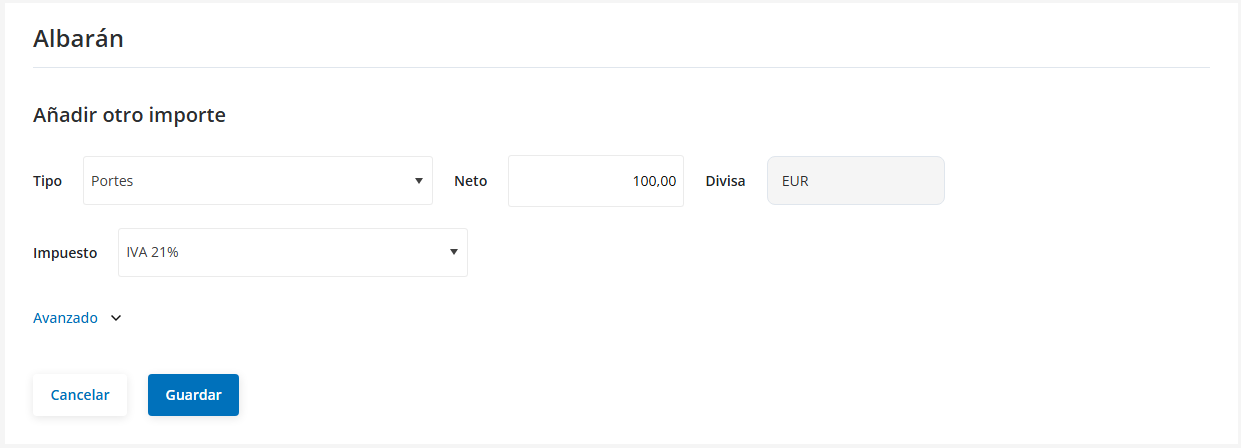
“Añadir otro importe” (Add another amount) form
- “Divisa” field.
“Forma de pago” (Payment method) section
- “Cuentas bancarias” field (linked to Transferencia).

- “Cuenta bancaria” field (linked to Recibo).

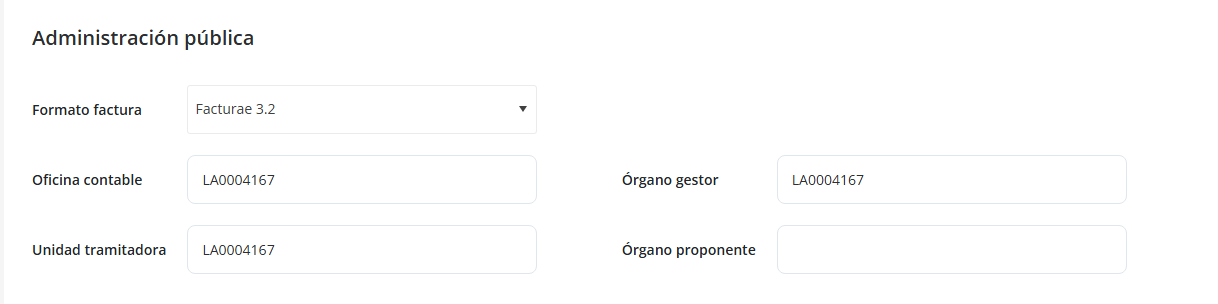
“Administración pública” section
- Appears only if the customer has a Public Administration profile.
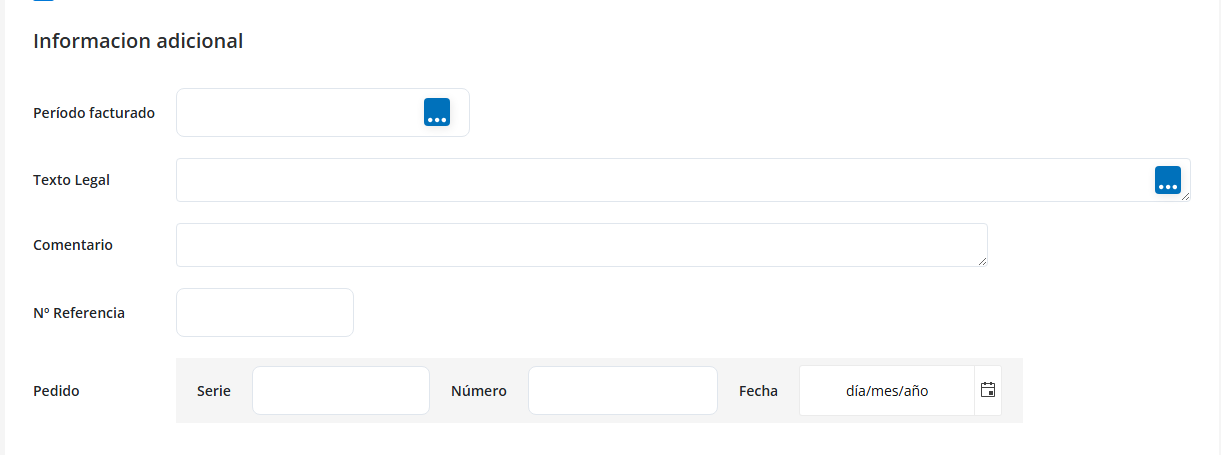
“Información adicional” (Additional information) section
- “Período facturado” (Billing period) field and a button to add or edit the value.
- "Pedido" (Order) tag with its associated fields.
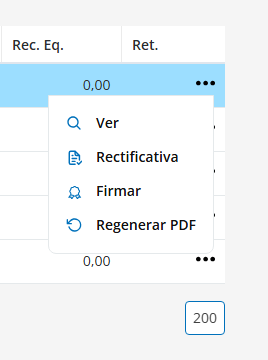
Facturas Emitidas (Issued Invoices) > Invoices table > Options menu
- New option “Firmar” (Sign).
Facturas Emitidas > “Facturas” form
“Cabecera del Albarán” (Delivery note header) section
- “Divisa” field.

“Forma de pago” (Payment method) section
- “Cuentas bancarias” field (linked to Transferencia).

- “Cuenta bancaria” field (linked to Recibo).
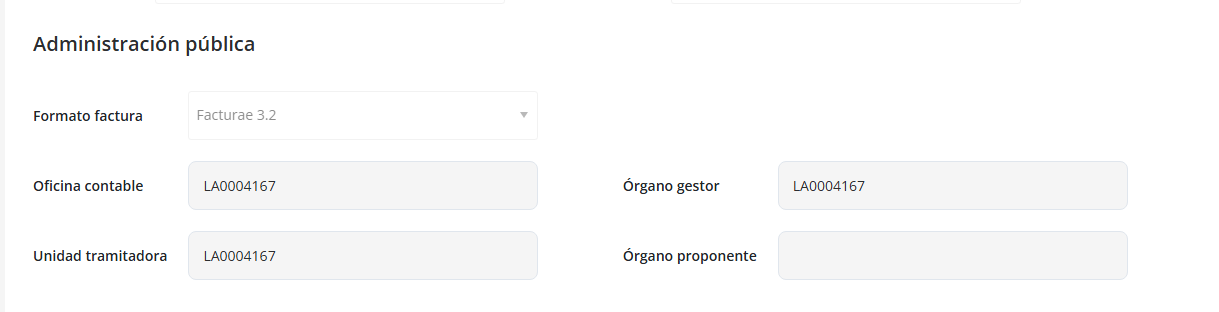
“Administración pública” section
- Visible only to customers with a Public Administration profile.
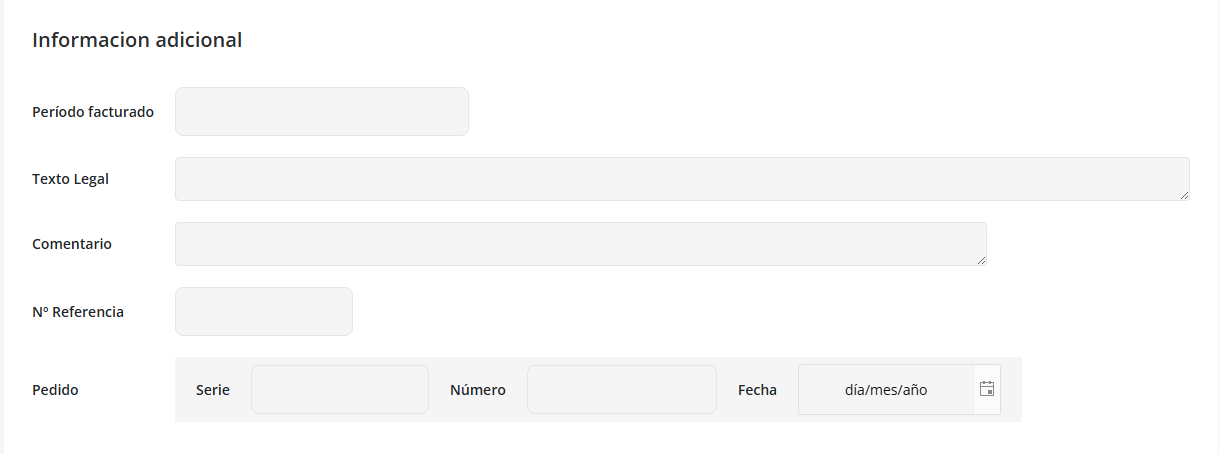
“Información adicional” (Additional information) section
- “Período facturado” field.
- "Pedido" tag and its fields.
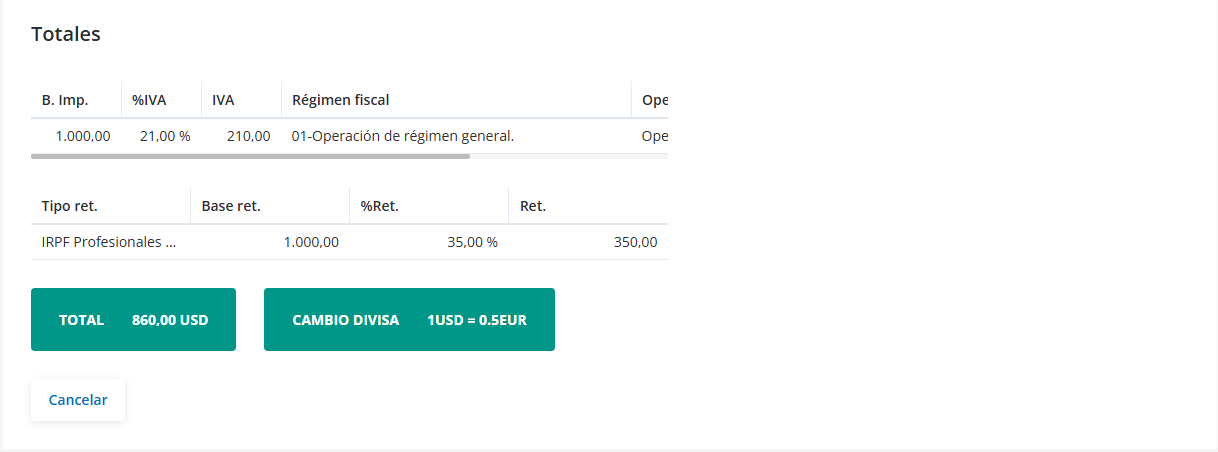
“Totales” (Totals) section
- Green box “CAMBIO DIVISA” (Currency exchange)
(Only visible if the invoice is issued in a currency other than the company's default currency).
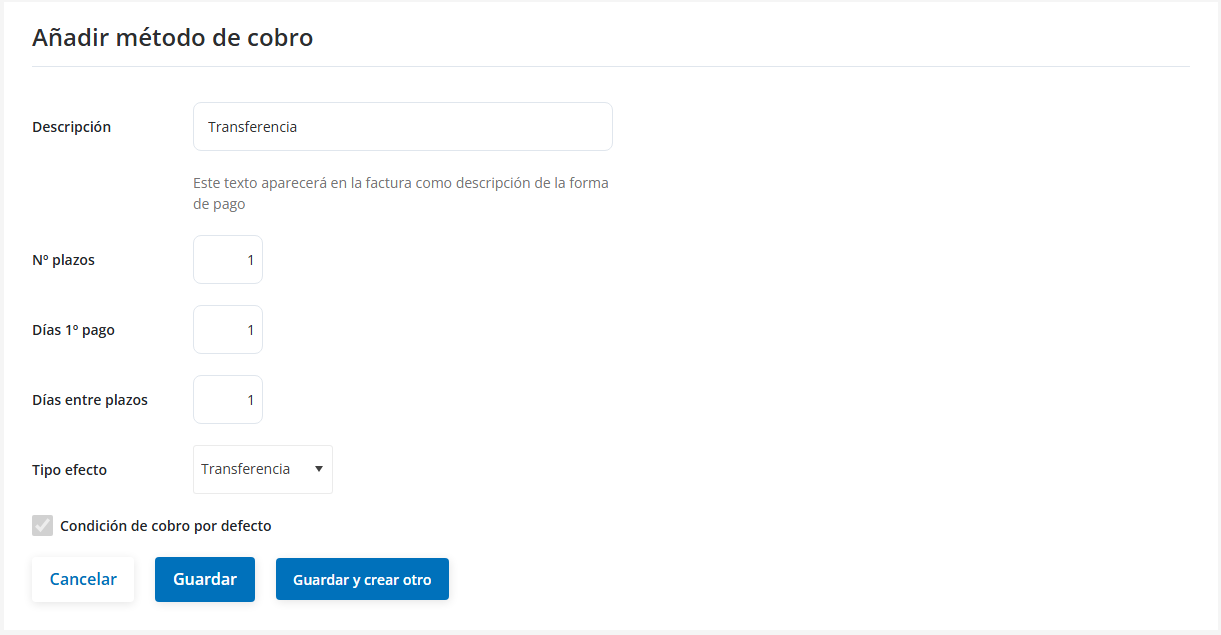
Configuración (Settings) > Datos de Cobro (Collection Details) > “Forma de pago” form
- “Guardar y crear otro” button added.
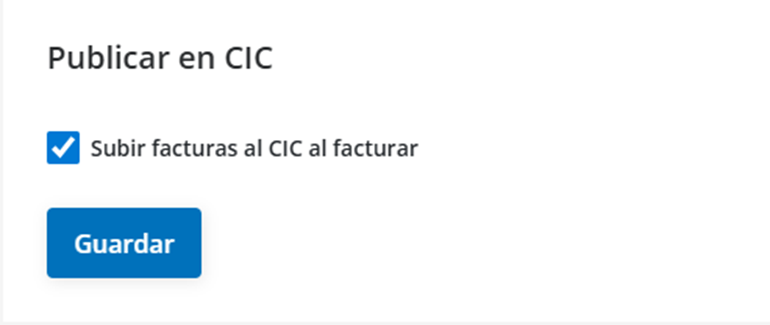
Configuración > Opciones (Options)
- New section: “Publicar en CIC” (Publish to CIC) and “Subir facturas al CIC al facturar” (Upload invoices to CIC when invoicing)
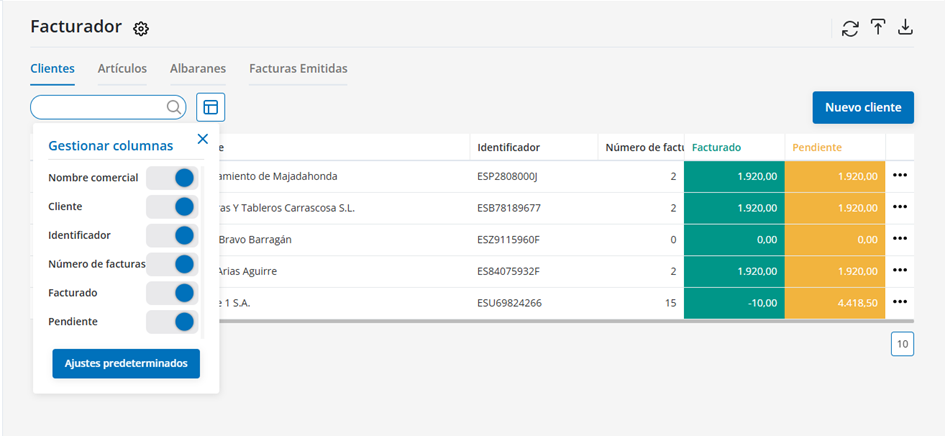
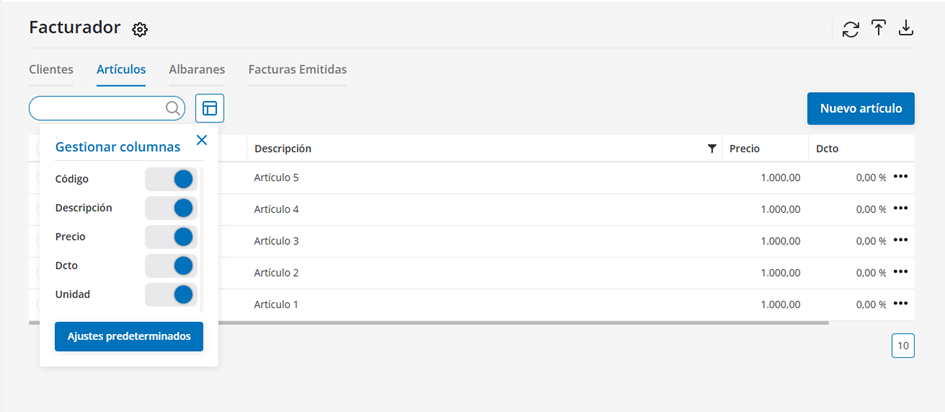
Tables: Customers, Items, Delivery Notes, and Issued Invoices
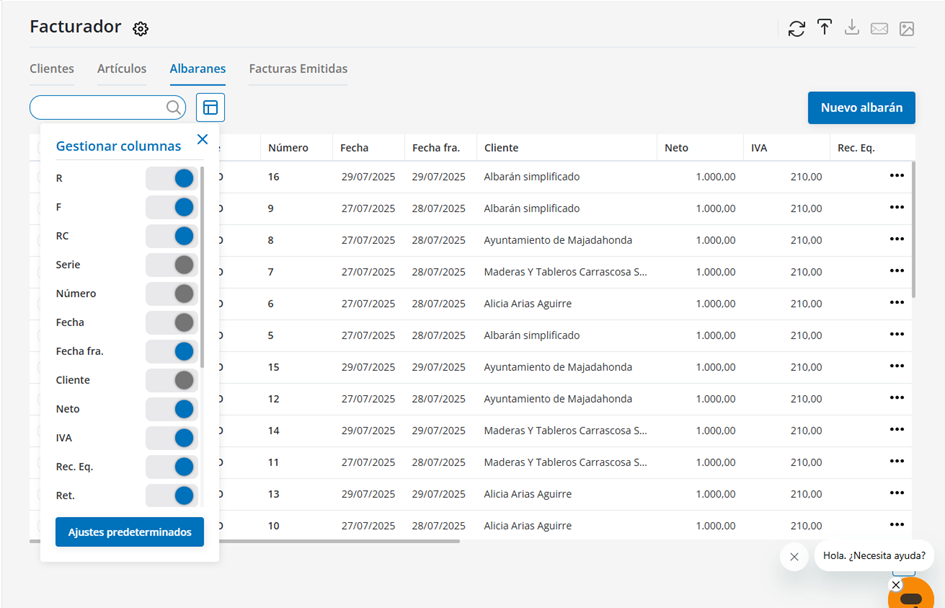
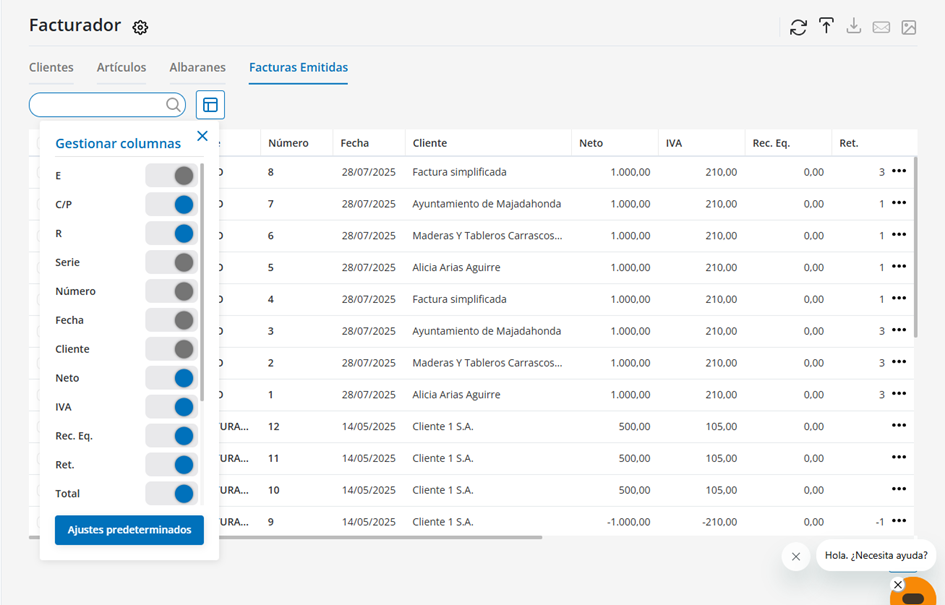
Added/improved "Gestionar columnas" (Manage columns) button, which lets you:
• Show, hide, or reorder columns.
• Automatically save the changes you make.
• Restore the original view with the "Ajustes predeterminados" (Default settings) option.
Customize your view to suit your needs!
“Albaranes” table
New columns have been added:
• RC: Indicates whether the delivery note is recurring.
• Fecha fra. (Invoice date): Shows the automatic invoicing date.
• Divisa: Shows the delivery note's currency.
• Periodo (Period): Indicates the period it corresponds to.
“Facturas Emitidas” table
New columns available:
• C/P: Collection or payment status of the invoice.
• Divisa: Shows the currency in which the invoice was issued.