
Updated on 18 September 2026
Create users and permission rules (Ubyquo administrator)
Assign the department to the profile and create users so that your customers can access their folders.
Assign a department to the user profile
Before adding new users, you need to set the department just once in the relevant profile:
Go to the "Inicio" (Home) tab and click the top-left icon. If it does not open, click here.

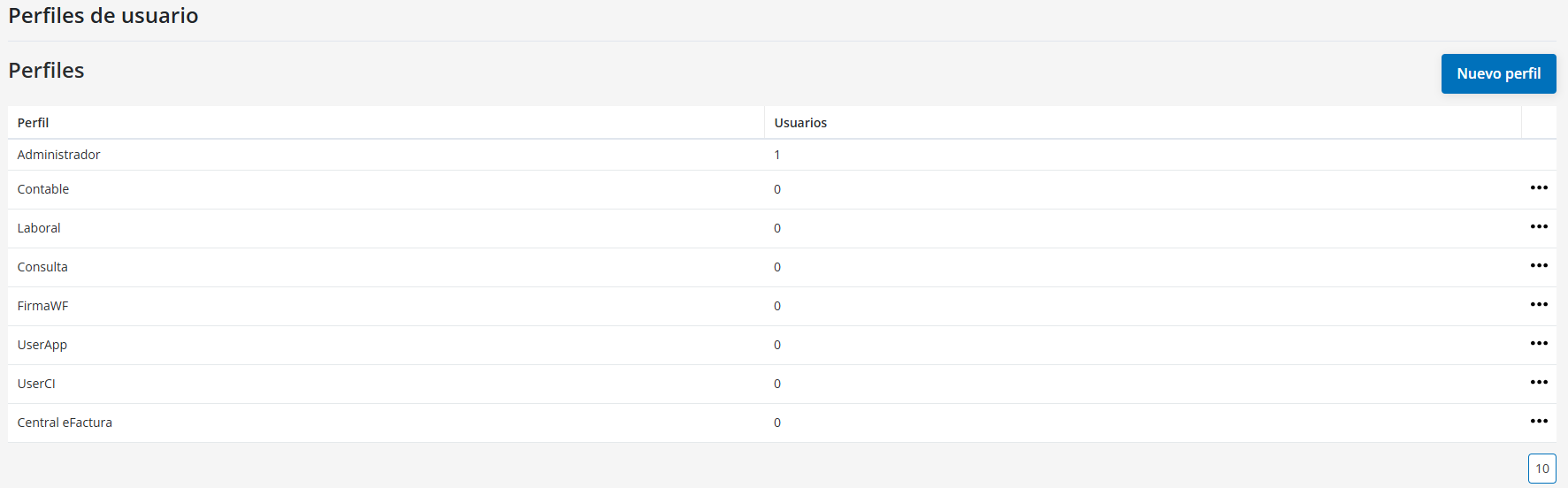
Go to Perfiles de usuario (User profiles).
Find the Central eFactura profile and click the three dots on the right, then Editar (Edit).
When editing the profile, select the appropriate department, which is usually the accounting software you use.
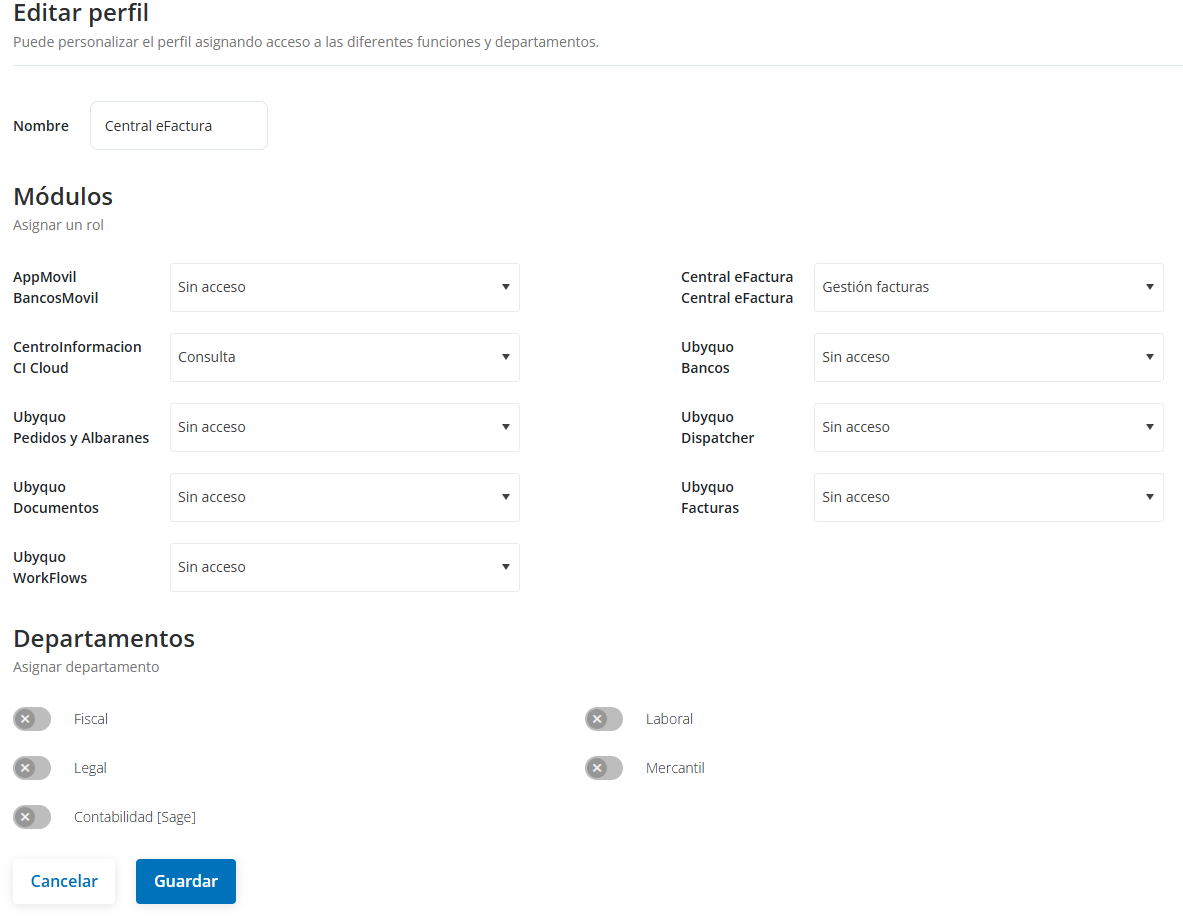
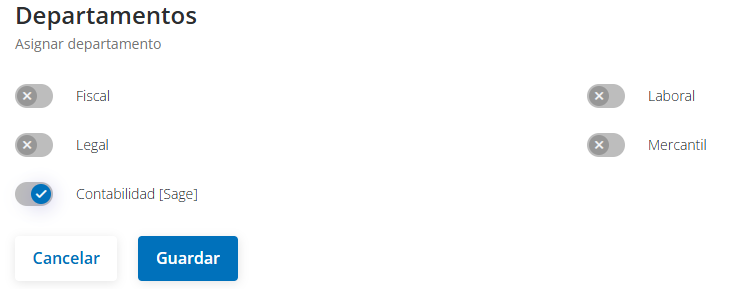
This way, the customers we create will be able to access their folders correctly, since their companies will be linked to the department.
Now let's create the users.
Create a New User
- Go to the "Inicio" (Home) tab and click the top-left icon. If it does not open, click here.
- Select the "Usuarios" (Users) tab.

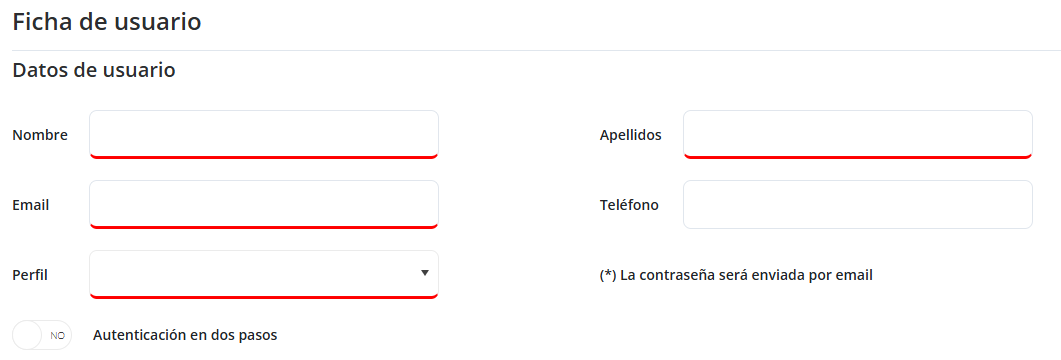
Click "Nuevo usuario" (New user) and fill in the following fields:
- Nombre y Apellidos (First and last name) (required)
- Email (required)
- Teléfono (Phone) (optional)
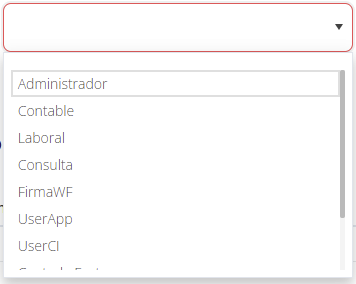
Assign a Perfil de usuario (User profile), which defines access to modules and departments.
In this case: Central eFactura
The password is sent automatically by email.
Edit an Existing User
- Click the user and select "Editar" (Edit) to change their details and add rules.


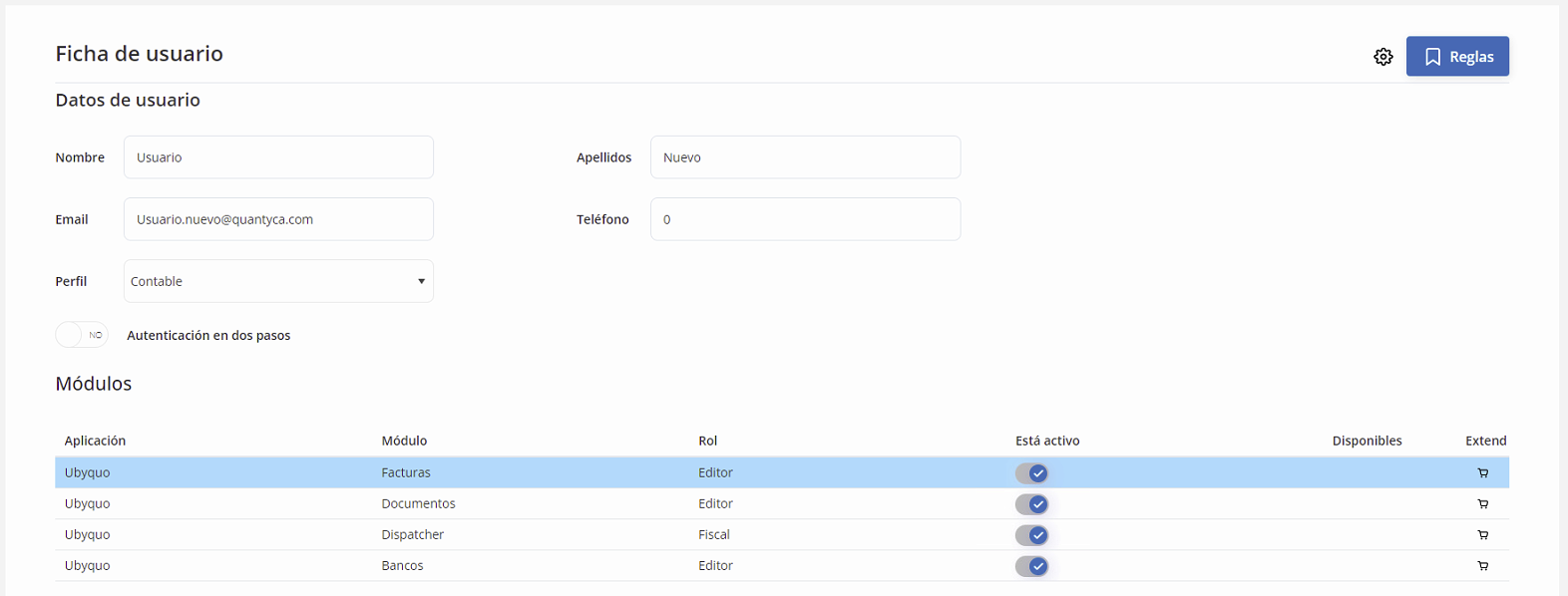
- Use "Regenerar acceso a carpetas" (Regenerate folder access) to update permissions.

Create Permission Rules (Allow)
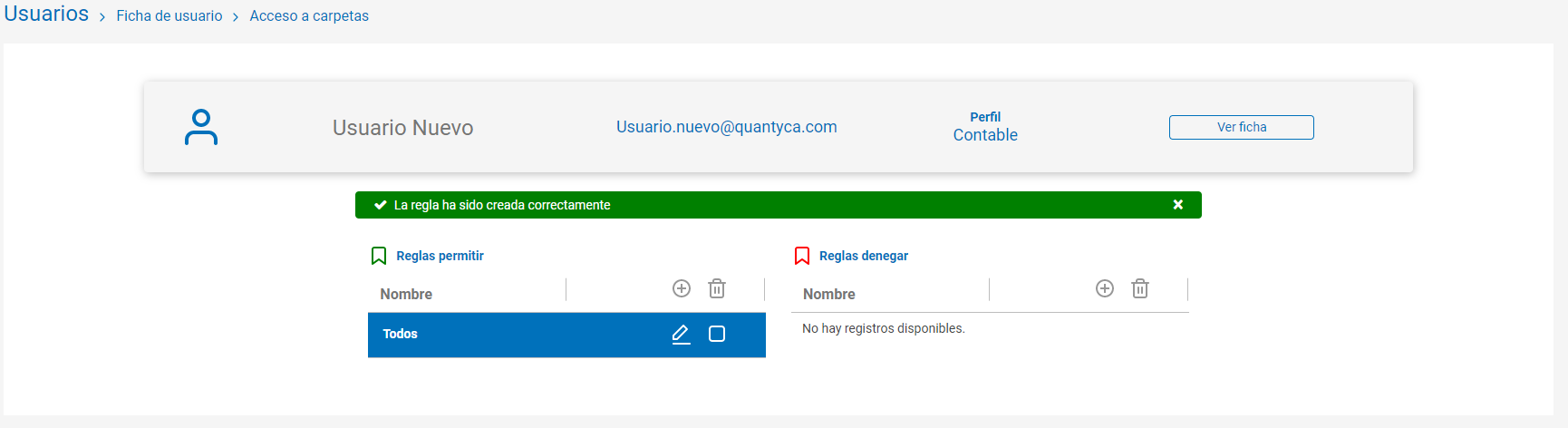
- Click "Crear Regla" (Create Rule), Type: Permitir (Allow)
- Give it a descriptive name.
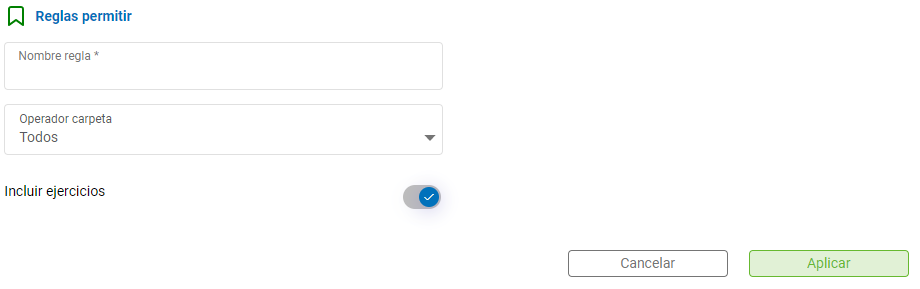
- Define access with the following folder operators:
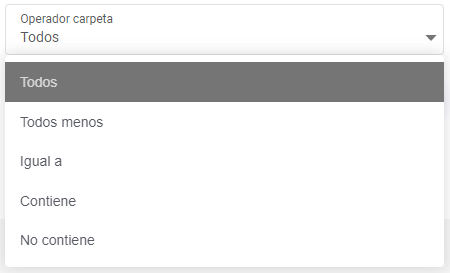
"Todos" (All): full access
"Todos menos" (All except) / "Igual a" (Equal to): select specific folders with "Ver Carpetas" (View Folders) (use the button to search)


"Contiene / No contiene" (Contains / Does not contain): filters by folder name
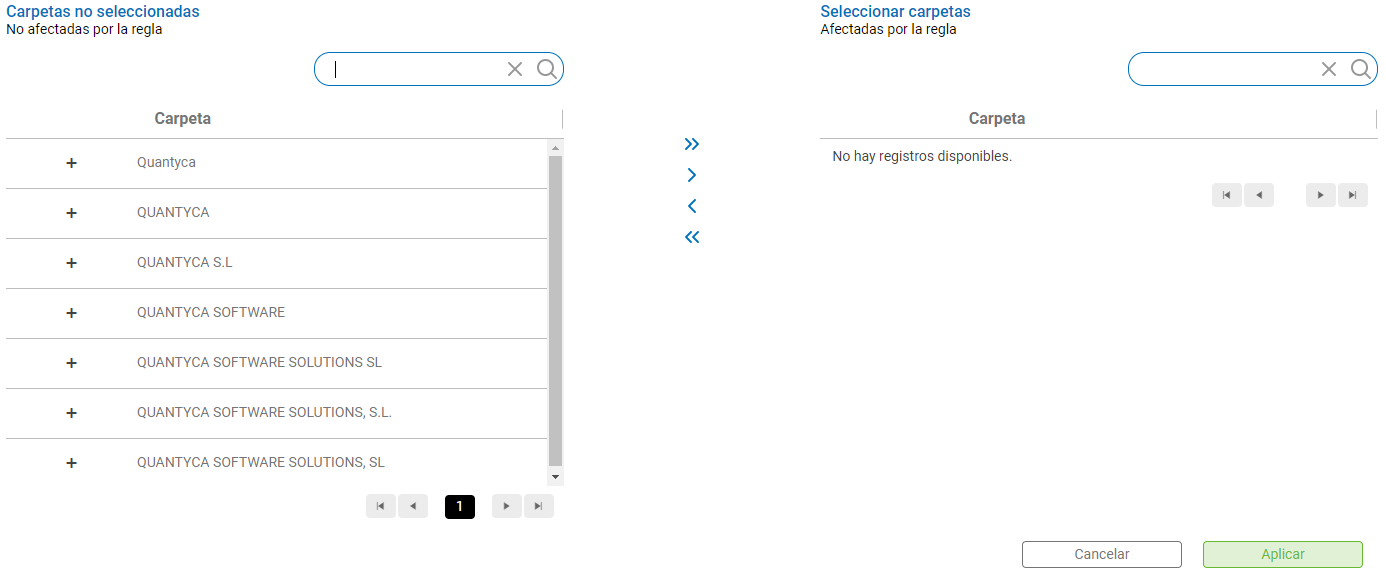

Note: These rules do not allow bulk creation of companies; only the administrator can do that.
Check Incluir ejercicios (Include fiscal years) if you want the access to apply to future fiscal years as well.
Manage Rules
- Editar Regla (Edit Rule): modifies an existing rule.
- Borrar Regla (Delete Rule): removes a rule that is no longer needed.