
Updated on 24 September 2026
Replacing a posted document without changing the journal entry
Replace a document that has already been posted with a new one without losing its journal entry number.
From the Ubyquo Documentos (Documents) module you can replace a document that is already posted with a new one, keeping the same journal entry number.
To do this correctly, you need to temporarily change the status of the original document to NO CONTABILIZADO (NOT POSTED), delete it, add the new document, and assign it the corresponding journal entry number again.
Locate the original document
Go to the corresponding folder and find the document you want to replace using the journal entry number.
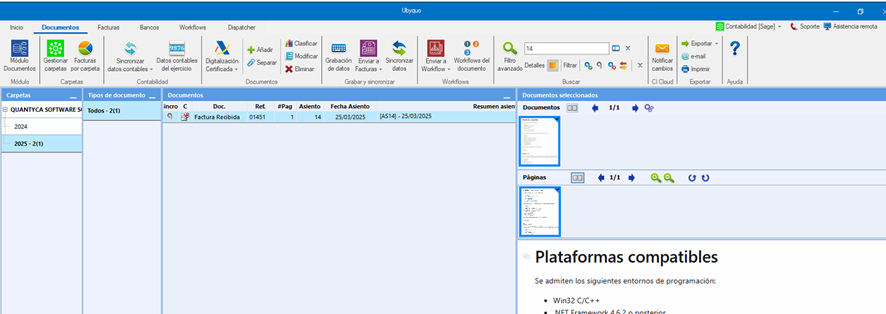
Change the document status
Once you have found the document, change its status from CONTABILIZADO (POSTED) to NO CONTABILIZADO.
You can do this from the context button or from the top menu:
Menú > Cambiar estado > Marcar como NO CONTABILIZADO (Menu > Change status > Mark as NOT POSTED)
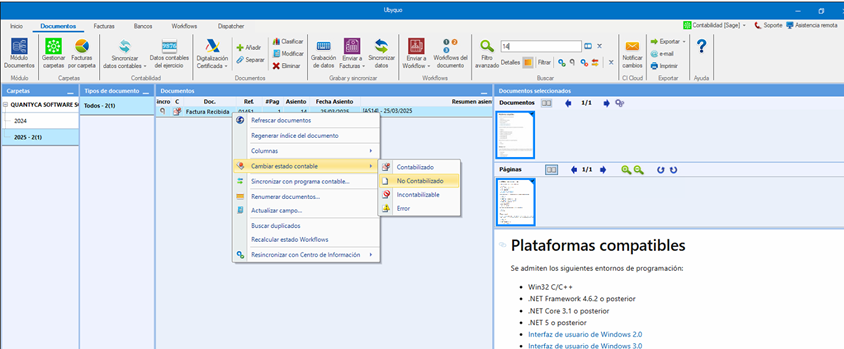
Delete the original document
With the document in NO CONTABILIZADO status, delete it using the option:
Cinta de opciones > Eliminar (Ribbon > Delete)
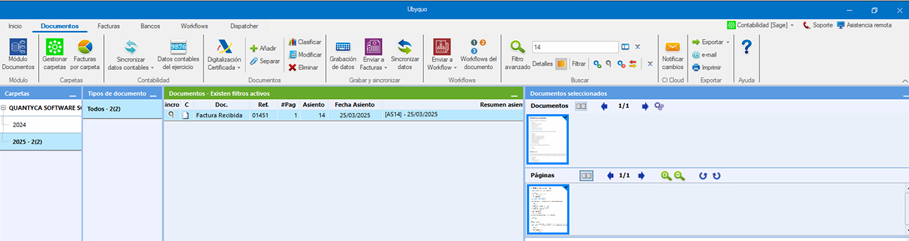
Add the new document
Add the new document that must replace the previous one.
You can upload it or drag it directly into the Documentos module.
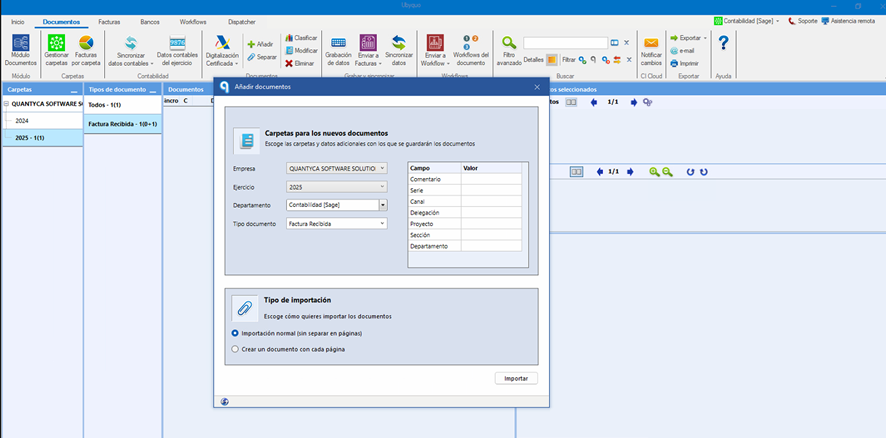
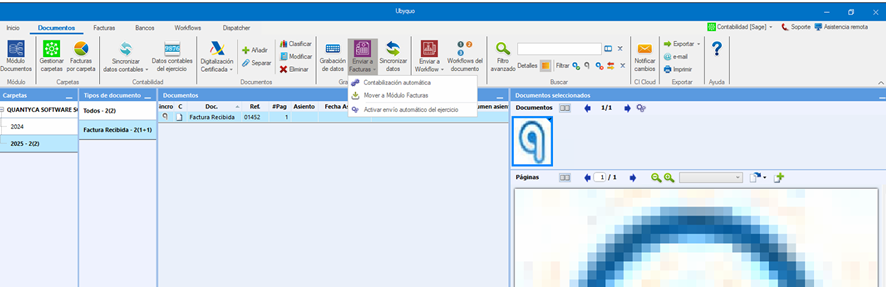
Send the new document to the Invoices module
Select the new document and use one of the following options:
- Enviar a facturas (Send to invoices)
- Mover a módulo de facturas (Move to Invoices module)
This will let you open the Facturas (Invoices) module and correctly complete the document's accounting data.
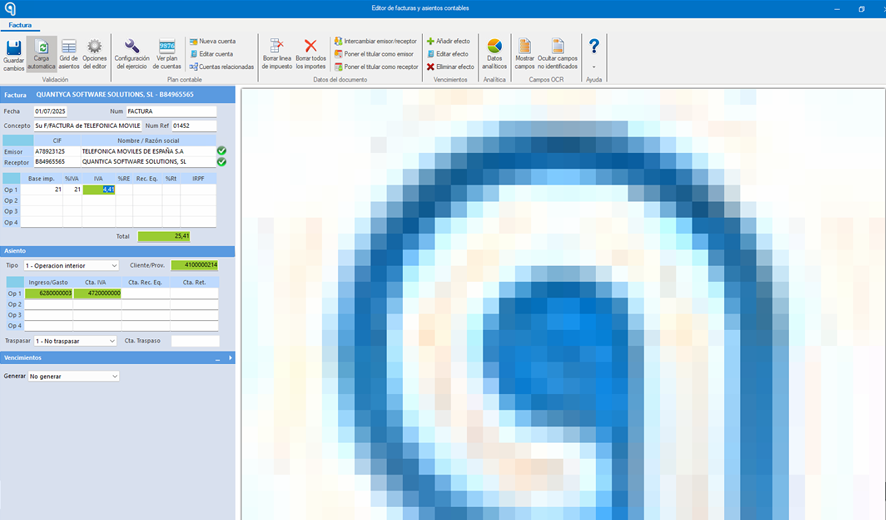
Complete the accounting data
Go to Facturas > Por Contabilizar (Invoices > To be posted) and fill in the required fields of the new document.
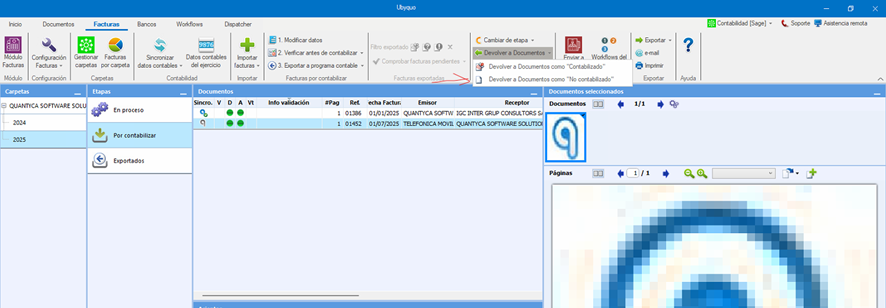
Once the data is complete, return the document to the Documentos module using:
Devolver a documentos > Devolver como “NO CONTABILIZADO” (Return to documents > Return as “NOT POSTED”)
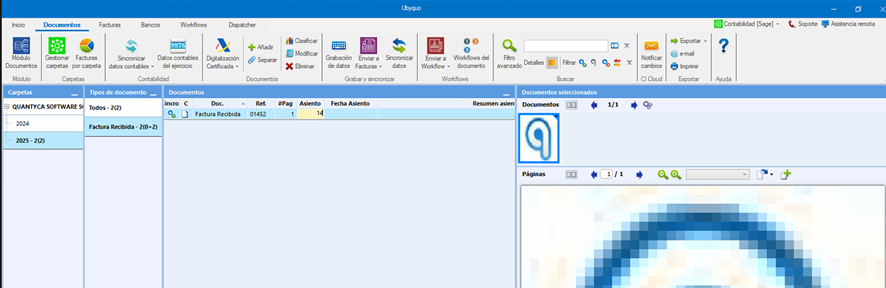
Assign the journal entry number
In the Documentos tab, find the new document and, in the Asiento (Journal entry) column, enter the same journal entry number the original document had.
The system will automatically update the document status to CONTABILIZADO.
This way, the original document is replaced by the new one, keeping the same journal entry number.