
Updated on 23 September 2026
Breakdown of VAT or withholding accounts in A3
Check the company setup in A3 to avoid differences in the VAT and withholding accounts.
For Ubyquo to work correctly with the VAT (IVA) and withholding accounts in A3ECO/A3CON, you need to review the company's account breakdown settings.
If these options are set to break down the accounts, there may be differences in the accounting information used by Ubyquo.
Settings in A3ECO or A3CON
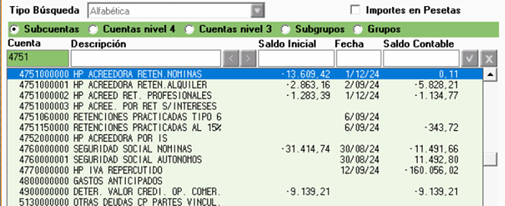
Open the company
In A3ECO or A3CON, open the company where the problem occurs.
If you work with several companies, make sure you make the change within the specific company that has the issue.
Go to the setup
Depending on your version of A3ECO/A3CON, go to one of the following options:
- Empresa > Parametrización (Company > Setup)
- Empresa > Parámetros generales (Company > General parameters)
The exact location may vary depending on the version of the program.
Change the account breakdown
Find the options related to the breakdown of the VAT and Withholding accounts.
Set them as follows:
| Parameter | Recommended value |
|---|---|
| Break down the VAT accounts | No Desglosar (Do not break down) |
| Break down the Withholding accounts | No Desglosar (Do not break down) |
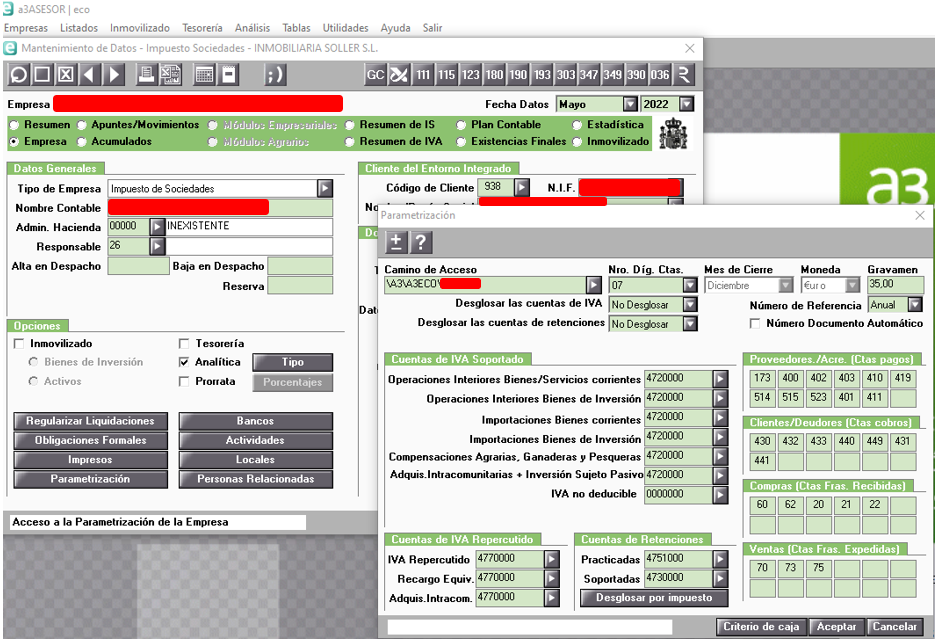
Once both parameters are set to No Desglosar, save the changes and run the operation in Ubyquo again.
It is important to check that the change was made in the correct company, especially when A3ECO/A3CON manages several companies.