
Updated on September 23, 2026
Direct export of invoices to Sage
Export your invoices to Sage and get the posting status and journal entry number back in Ubyquo.
Direct export from Ubyquo to Sage lets you export invoices and automatically receive in Ubyquo the posting status and the journal entry number generated by Sage.
Exporting invoices directly to Sage
- In Ubyquo, go to the Por contabilizar (To be posted) folder.
- Select the invoices you want to export.
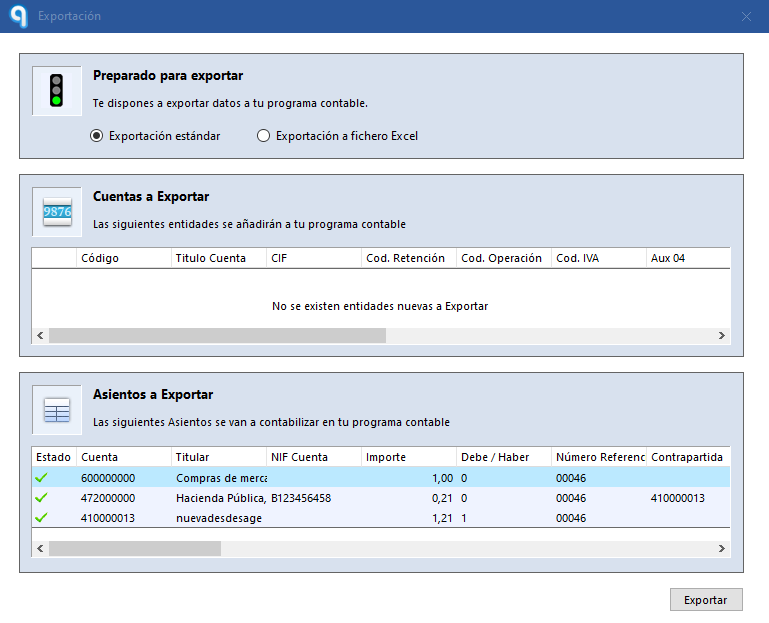
- Start the direct export to the Sage accounting software.
- Once the export is complete, the invoices will automatically move to the Exportados (Exported) folder.
- The invoices will appear with the posted stamp (C).
- Next to each invoice you will see the journal entry number assigned by Sage.
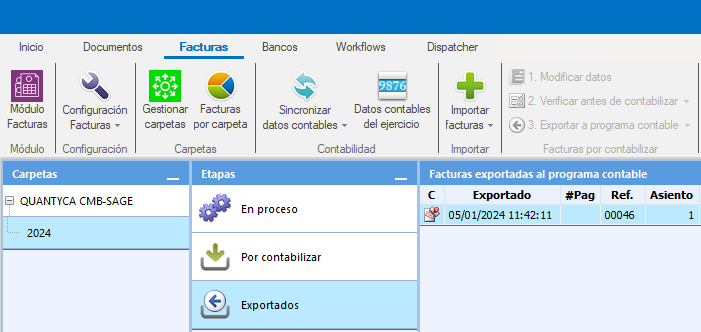
The posted stamp and the journal entry number confirm that Ubyquo has correctly recorded the posting information generated by Sage.
Viewing the linked document from Sage
Once the invoices are posted, you can open the linked document directly from the journal entry in Sage.
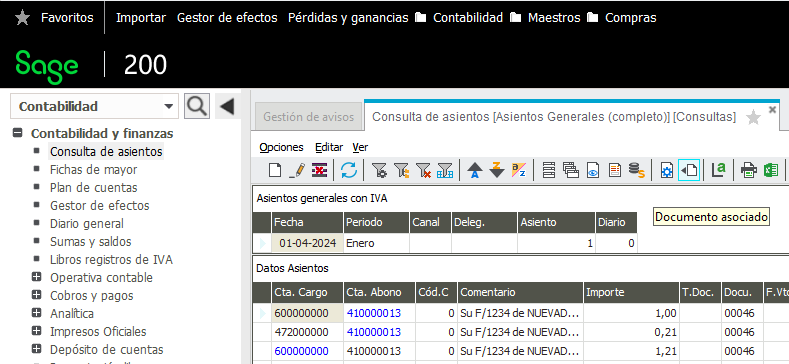
- Open Sage and go to the journal entry you want to look at.
- Click the Documento asociado (Linked document) icon.
- In the window that appears, select Ver Documento (View Document).
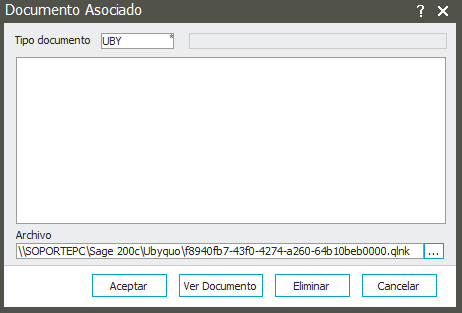
- The Ubyquo web viewer will open.
Accessing the viewer
Enter your Ubyquo Invoices user and password.
You can turn on the following options so you don't have to enter your credentials next time:
- Recordar usuario (Remember user)
- Recordar contraseña (Remember password)
The viewer will show the image of the document linked to the journal entry.
Result
With direct export:
- Ubyquo shows the invoice as posted.
- Ubyquo records the journal entry number generated by Sage.
- From Sage you can go straight to the document linked to the journal entry.