
Updated on September 25, 2026
Improve speed with large charts of accounts
Speed up the transactions editor by turning off immediate account suggestions.
If you work with large charts of accounts, you can improve the speed of the Bank Transactions Editor by turning off immediate account suggestions.
Steps to turn off immediate suggestions
- Go to the Bancos (Banks) tab.
- Open Configuración Bancos (Banks settings) and select Configuración del ejercicio (Fiscal year settings).
- Check the Desactivar la sugerencia inmediata de cuentas (Disable immediate account suggestions) box.
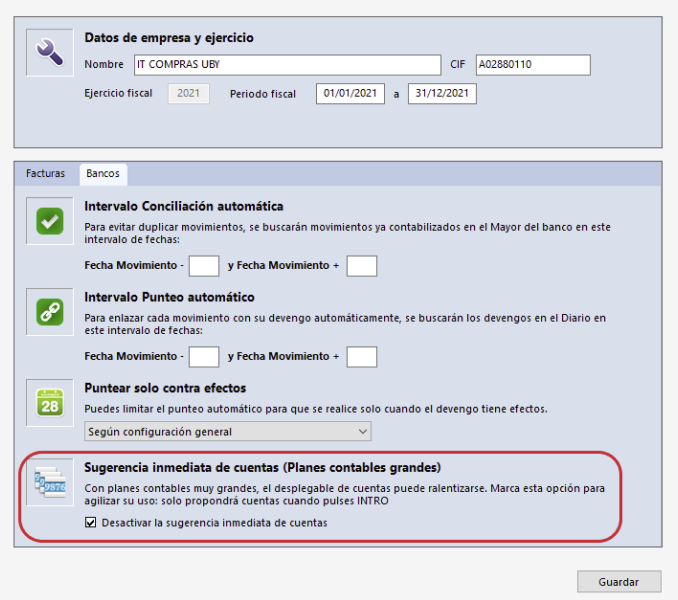
Important: when you enable this option, account suggestions will not appear automatically. To show them, press the Intro (Enter) key in the transactions editor.