
Updated on September 24, 2026
How to change the company or fiscal year of documents
Reclassify one or more documents to another company or fiscal year with the Clasificar option.
From the Documentos (Documents) tab in Ubyquo you can change the company, the fiscal year and other classification data of one or more documents that have already been added to the system.
Select the documents
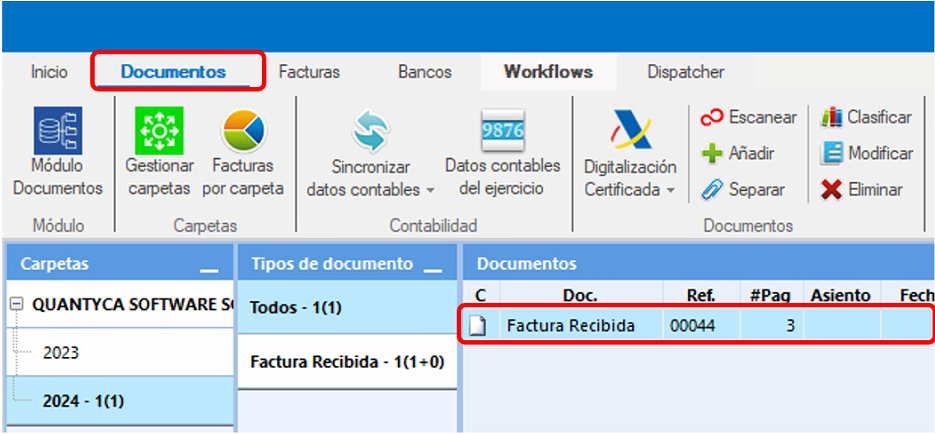
Go to the Documentos tab and select the documents you want to change.
You can make a multiple selection using Ctrl or Shift.
Open the Clasificar option
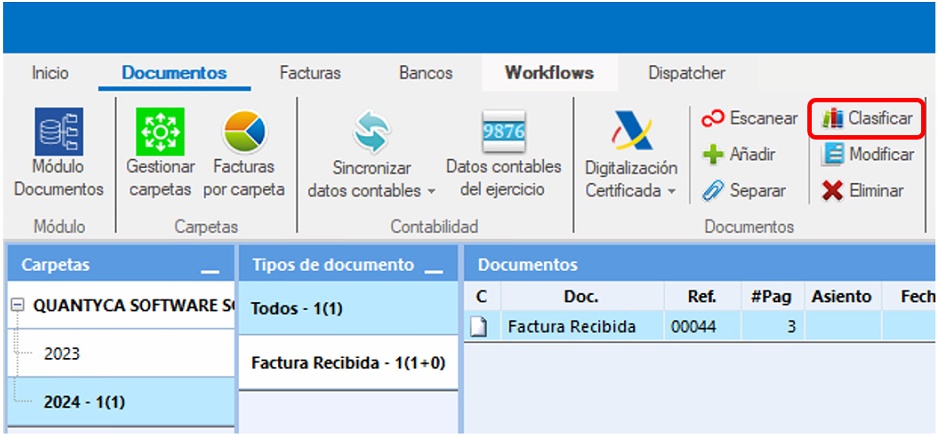
With the documents selected, click Clasificar (Classify) in the top menu.
You can recognize this option by the books icon.
Change the company or fiscal year
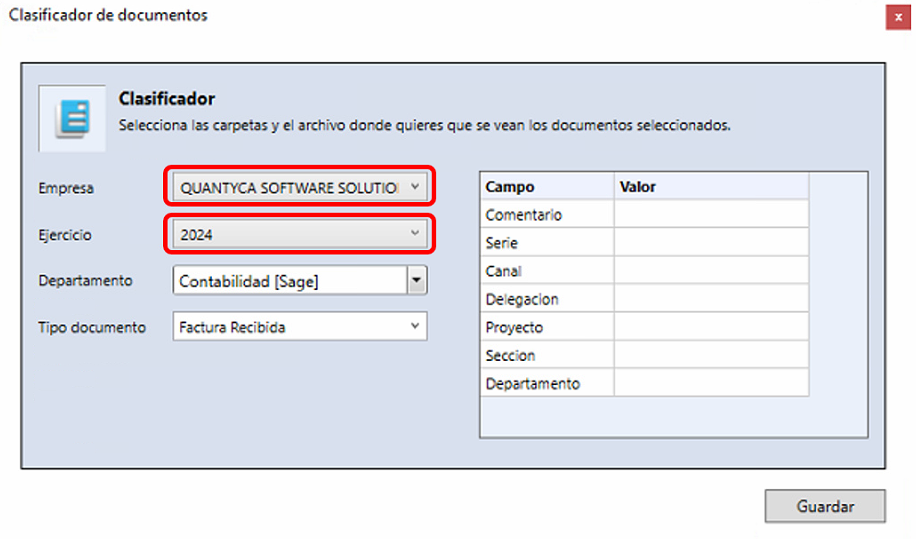
When you open Clasificar, a window will open with the available classification options.
Change the Empresa (Company) field and select the company you want to move the documents to.
You can also change other data if needed, such as:
- Ejercicio (Fiscal year)
- Departamento (Department)
- Other fields available in the classification.
Save the changes
Once you have selected the new data, click Guardar (Save) to apply the changes.
Check the update
Ubyquo may take a few seconds to apply the changes, especially when many documents are changed.
Once the process has finished, refresh the screen and check that the documents appear under the selected company and fiscal year.