Updated on 25 September 2026
Transfer a document to another workflow signer
Pass a document to another signer in the same group when the workflow stage allows it.
Ubyquo lets you transfer a document to another signer in the same group, as long as this option is enabled in the workflow stage configuration.
Prior configuration
In the workflow stage configuration, make sure to check the Permitir transferir documentos a otros firmantes (Allow transferring documents to other signers) option.
This option is required to be able to transfer the document to another signer in the group.
Start the transfer
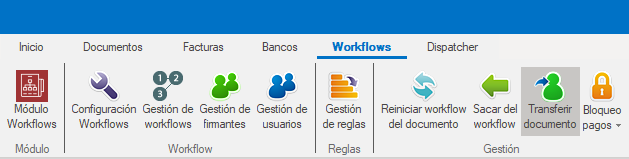
At the top of the document, click Transferir documento (Transfer document).
Select the new signer
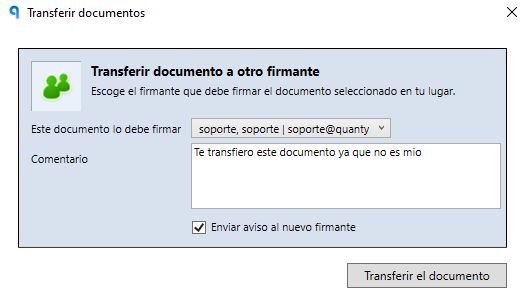
A window will open where you can select the new signer.
Important: the new signer must belong to the workflow's current group.
In this same window, you can add a comment explaining the reason for the transfer.
Send a notification
Optionally, you can check the option to send a notification e-mail to the new signer, letting them know that the document has been transferred to them.