
Updated on 24 September 2026
Export invoices from Ubyquo to Grupo Castilla with Excel
Take your invoices to Grupo Castilla with an Excel file of journal entries and confirm they have been posted in Ubyquo.
Follow these steps to export invoices from Ubyquo to Grupo Castilla using an Excel file, import the journal entries and confirm the posting in Ubyquo.
Export the invoices from Ubyquo
- Go to Ubyquo Facturas (Invoices) and select the invoices you want to export.
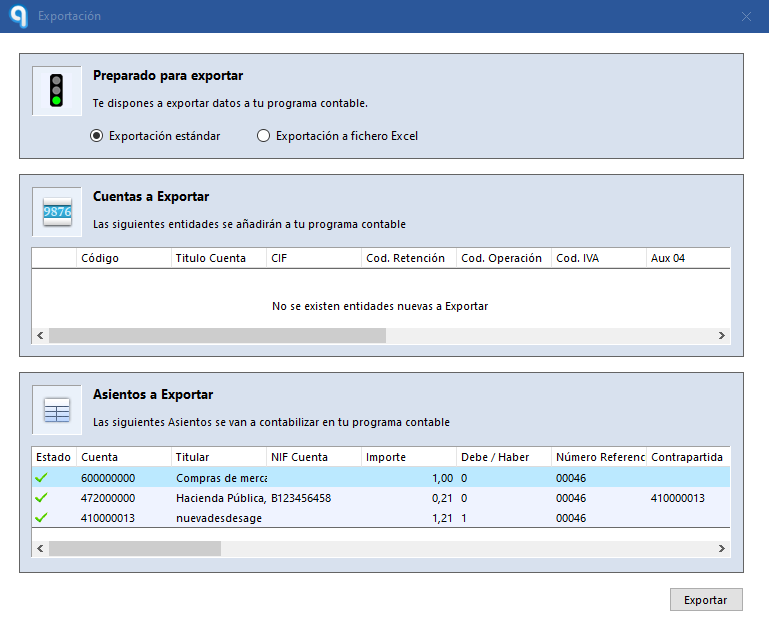
- Start the export. A File Explorer window will open so you can choose where to save the Excel file with the journal entries.
- Select the destination path and save the file.
Once the export is finished, the invoices are automatically moved from the Por contabilizar (To be posted) folder to Exportados (Exported).
Identify the invoices pending confirmation
In the Exportados folder, a question mark icon will appear next to each invoice.
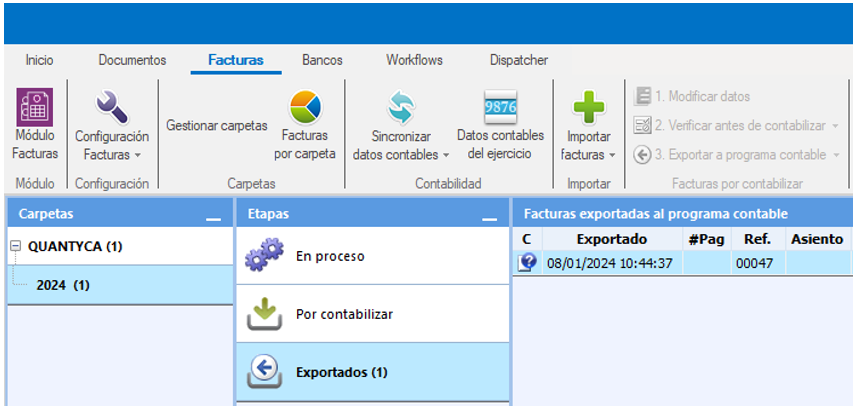
This icon means the export is pending confirmation and that you must indicate whether the invoices have already been imported into Grupo Castilla.
Import the Excel file into Grupo Castilla
Do the following in the Grupo Castilla program:
- Go to the Utilidades (Utilities) tab.
- Go to Exportación/Importación > Ubyquo (Export/Import > Ubyquo).
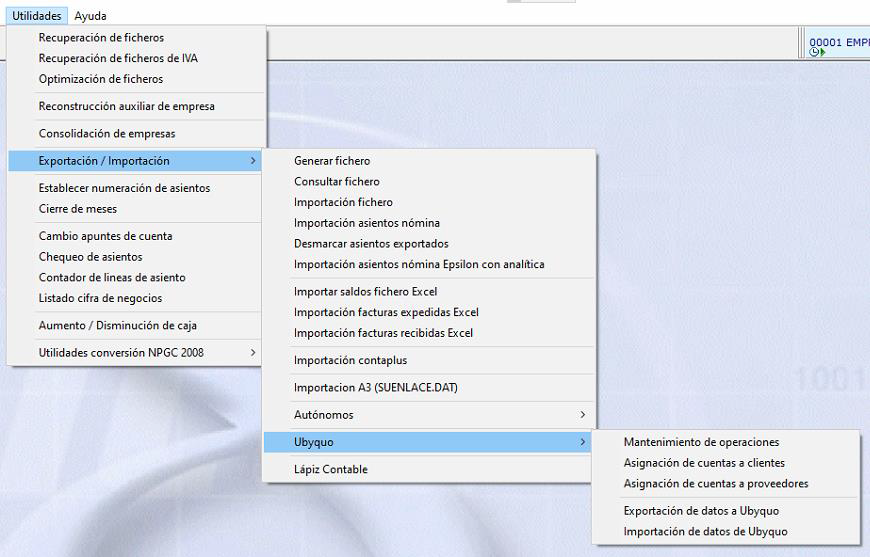
- In the pop-up window, select the path where you saved the Excel file exported from Ubyquo.
- Click Generar (Generate) to import:
- — The generated journal entries.
- — The new accounts.
Confirm the export in Ubyquo
Once the import in Grupo Castilla is done, go back to Ubyquo Facturas.
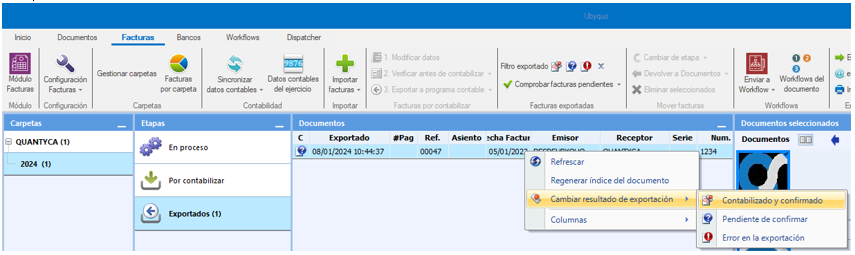
- Go to Facturas > Exportados (Invoices > Exported).
- Select all the invoices you exported.
- Right-click and select Cambiar resultado de exportación > Contabilizado y confirmado (Change export result > Posted and confirmed).
The question mark icon will change to the posted stamp (C).
This change confirms that the invoices have been marked as posted and that the import into Grupo Castilla has been done.