
Updated on 24 September 2026
Connect Ubyquo to Altai by copying the Superwin.ini file
Connect Ubyquo to Altai on a computer without Altai installed by using the configuration from another computer.
If you need to connect Ubyquo to Altai on a computer where Altai is not installed, you can use the Superwin.ini configuration file from another computer that does have Altai installed.
1
Copy the Superwin.ini file
- On a computer where Altai is installed, find the
Superwin.inifile. - Copy the file.
- On the computer where you need to use Ubyquo without Altai installed, go to the following path:
C:\Windows - Paste the
Superwin.inifile into that folder.
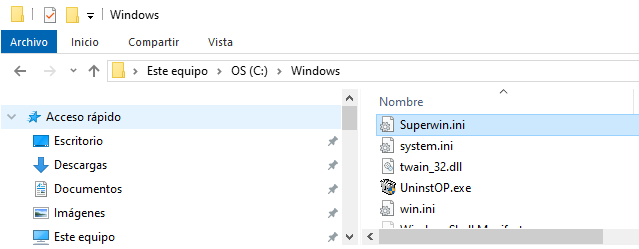
With this procedure, the connection between Ubyquo and Altai should be configured.
2
Specify the server port if the connection fails
If the connection does not work after copying the Superwin.ini file, specify the server port in the connection path.
Once the port is set, check the connection between Ubyquo and Altai again.