
Updated on October 9, 2026
How do I create customers in CENTRAL eFACTURA?
Add your customers one by one, with an Excel template or in bulk from Sage.
Before you start
The company must be activated in Central eFactura.
Three ways
One customer at a time, with the Excel template or, if you use Sage, in bulk from Ubyquo.
Option 1 Create customers one by one
- 1
Open the invoicing tool
In Central eFactura › Facturador, choose the company and the fiscal year.

- 2
Click «Nuevo cliente»
In the Clientes (Customers) tab, click
 Nuevo cliente (New customer).

- 3
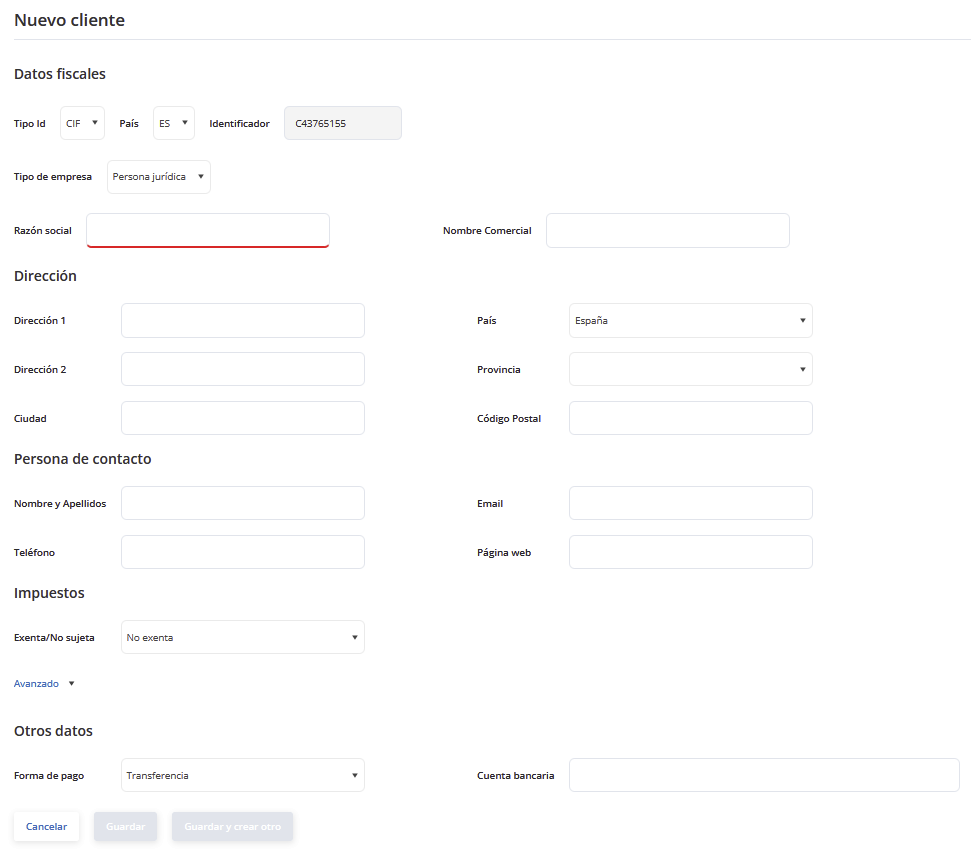
Fill in the details Required
Complete the customer record:
Tax ID (CIF/NIF)Tax detailsAddressContact personTaxesPayment methodIf the payment method is direct debit, also add the customer's bank account.
- 4
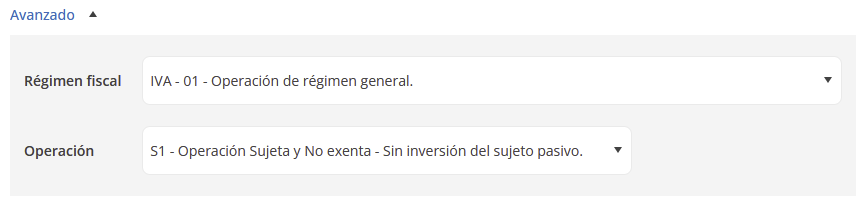
Tax regime and type of transaction Optional
In Avanzado (Advanced) you can set the tax regime and the type of transaction.
- 5
Save
Click Guardar (Save) or Guardar y crear otro (Save and create another).

Option 2 With the Excel template
- 1
Open the invoicing tool
In Central eFactura › Facturador, choose the company and the fiscal year.
- 2
Download the template
In the Clientes tab, download the Excel template
 .
- 3
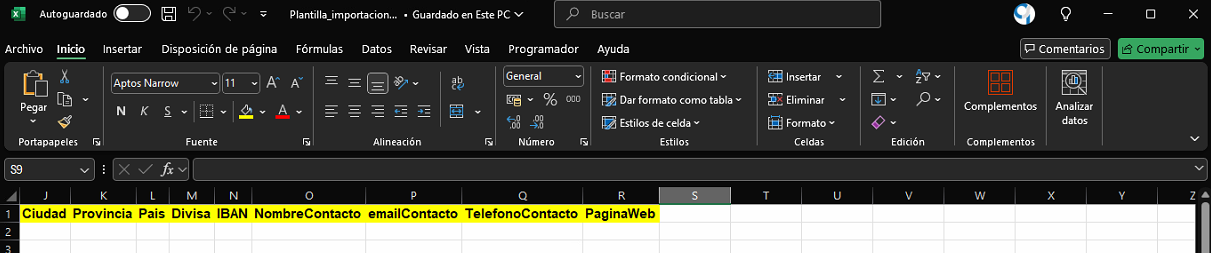
Fill it in
Enter one customer per row.
- 4
Upload it to the invoicing tool
In the Clientes tab, click Importar (Import)
 and choose the template: the customers are created automatically.
Option 3 In bulk from Ubyquo (Sage)
- 1
Open the company's accounting data
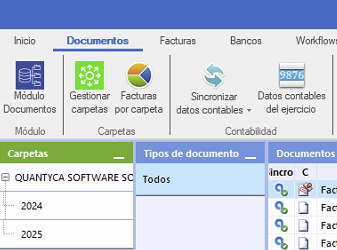
In Ubyquo, open the company from Documentos (Documents) or Facturas (Invoices) and, at the top, choose Datos contables del ejercicio (Fiscal year accounting data)
 .
- 2
Export to the invoicing tool
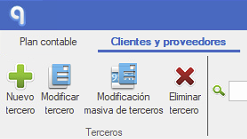
In the Cliente/Proveedores (Customer/Suppliers) tab, click Exportar al facturador (Export to invoicing tool)
 and save the Excel file. With the Sage connector, both customers and items are exported.
- 3
Import it into the invoicing tool
In Central eFactura › Facturador, choose the company and, in the Clientes tab, click Importar
and choose the file. - 4
Confirm the import
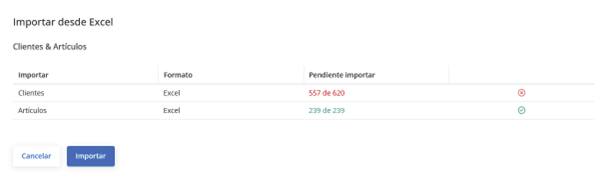
Review the customer summary and click Importar.
Done! You can now use your customers in your delivery notes.