
Updated on 28 September 2026
How to download AEAT forms correctly for Dispatcher
Download AEAT forms in a way that Dispatcher recognizes them without problems.
To ensure that the Dispatcher module correctly recognizes the forms downloaded from the website of the Agencia Estatal de Administración Tributaria (AEAT, the Spanish Tax Agency), it is essential to follow these guidelines.
1
What to do when downloading the form
- Always select the Descargar documento (Download document) option.
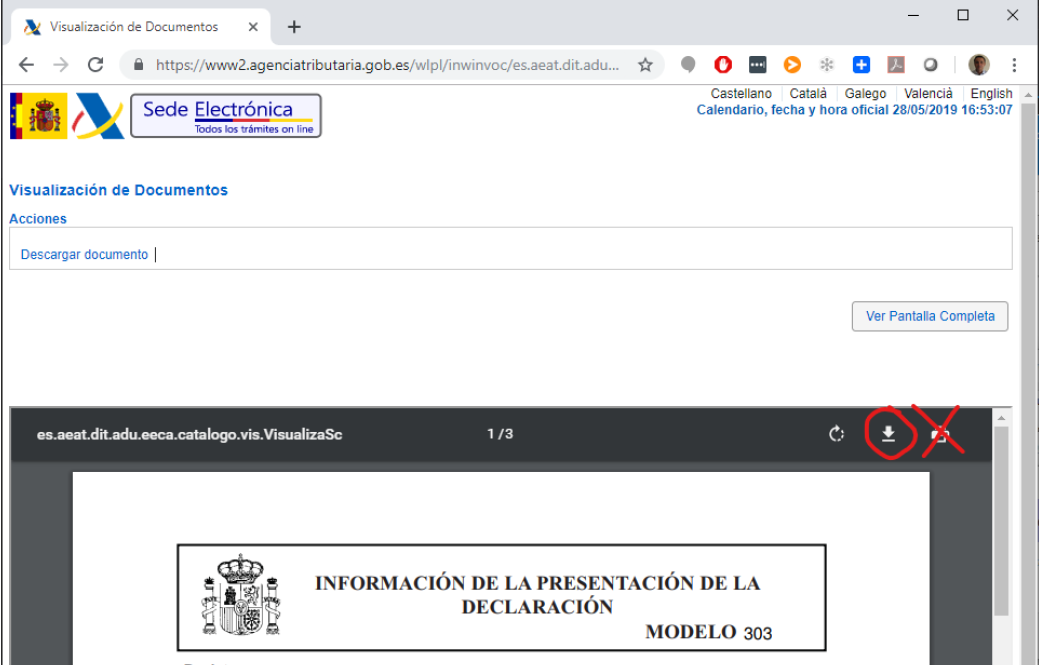
- Check that the downloaded file contains the official AEAT seal. Only documents with a valid seal are accepted.
2
What to avoid
- Do not use the Print option, as it may generate a file without the metadata needed for automatic recognition.
- Do not edit the document with any program, such as Acrobat or Word. Any modification may prevent Dispatcher from recognizing it correctly.