
Updated on 24 September 2026
Synchronize Ubyquo with Contasol in the DELSOL cloud
Understand how to synchronize your local copy of Ubyquo with the Contasol data in the DELSOL cloud.
The integration of Ubyquo with the DELSOL cloud lets you work with a local copy of the data and synchronize it with the information stored in the cloud.
It is important to distinguish between the two processes:
- Uploading data: copies the data from the local installation to the DELSOL cloud.
- Downloading data: downloads the data from the DELSOL cloud and updates the local copy.
Uploading data to the DELSOL cloud
Before uploading, make sure that all the invoices you want to send to the cloud have been exported from Ubyquo to the local copy of the DELSOL database.
Export the invoices from Ubyquo
Export the invoices you want to upload to the cloud from local Ubyquo.
Check that the invoices have been exported correctly to the local copy of the corresponding company and fiscal year.
Open DELSOL
- Open DELSOL.
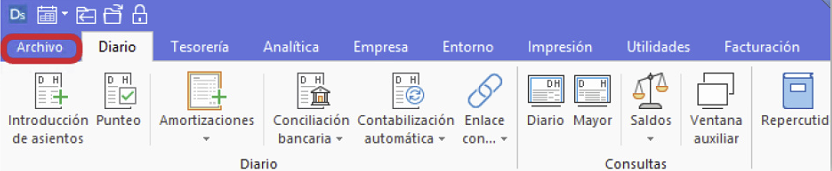
- In the top-left corner, click Archivos (Files).
Open Security
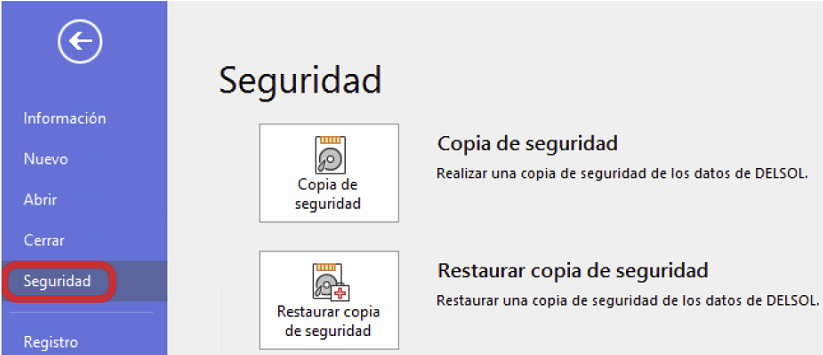
In the left-hand side menu, select Seguridad (Security).
Restore the backup
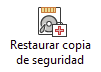
Select Restaurar copia de seguridad (Restore backup).
Select the local copy
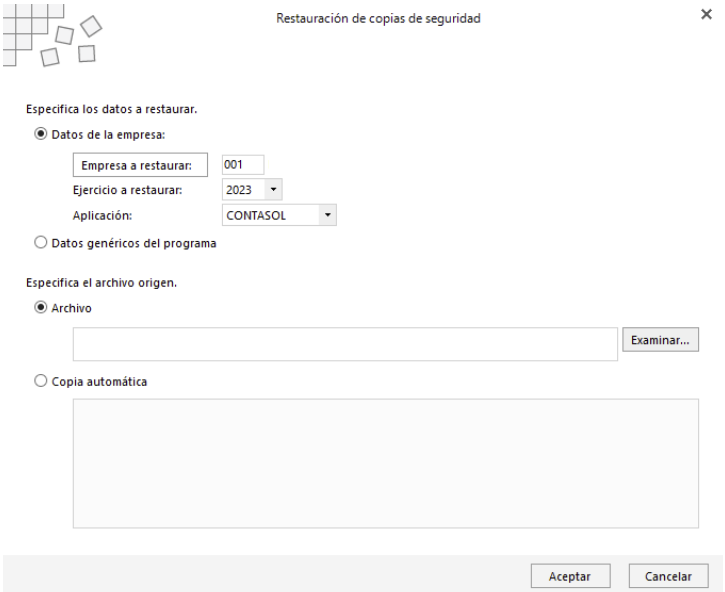
Browse to the path where the local backups are stored:
- User computers:
C:\Software DELSOL\DELSOL\Datos\CS\ - CONTASOL server:
C:\Software DELSOL\DELSOL\Datos\CS\
Select the company and fiscal year
Find the file for the company and fiscal year you want to upload.
For example, for company 001 and fiscal year 2023, select:
0012023.accdb
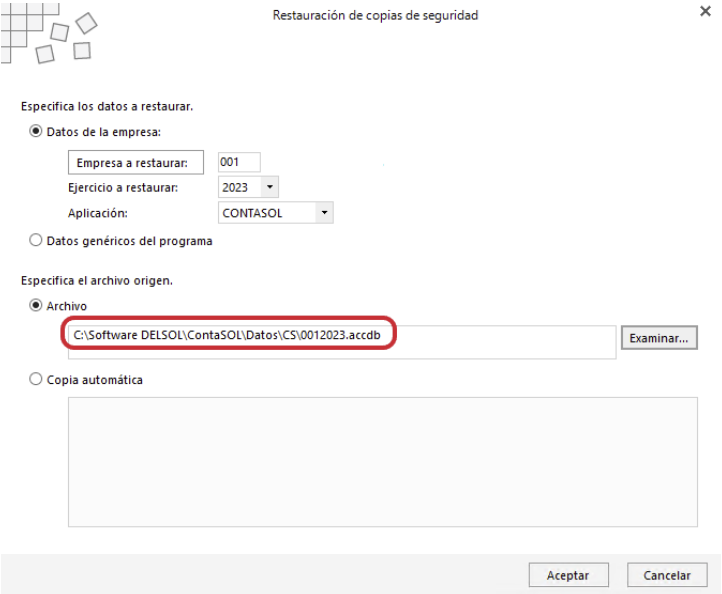
Confirm the restore
- Click Aceptar (OK).
- DELSOL will restart.
- When it opens again, the data in the DELSOL cloud will be updated with the information from the selected local copy.
Downloading data from the DELSOL cloud
Downloading lets you update the local copy of Ubyquo with the data currently stored in the DELSOL cloud.
Open the company in Ubyquo
In Ubyquo, open the company you are going to work on.
The work must be done on the local copy.
Open DELSOL
- Open DELSOL.
- In the top-left corner, click Archivos.
Open Security
In the left-hand side menu, select Seguridad.
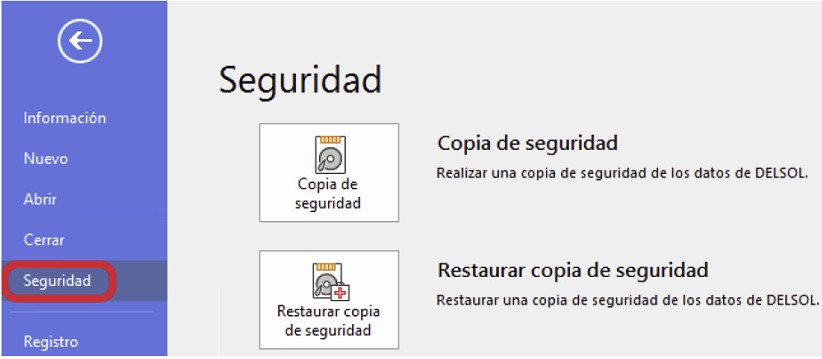
Create a backup
Select Copia de seguridad (Backup).
Confirm the backup path
Check that the path where the backups are stored is correct:
- User computers:
C:\Software DELSOL\DELSOL\Datos\CS\ - Server:
C:\Software DELSOL\DELSOL\Datos\CS\
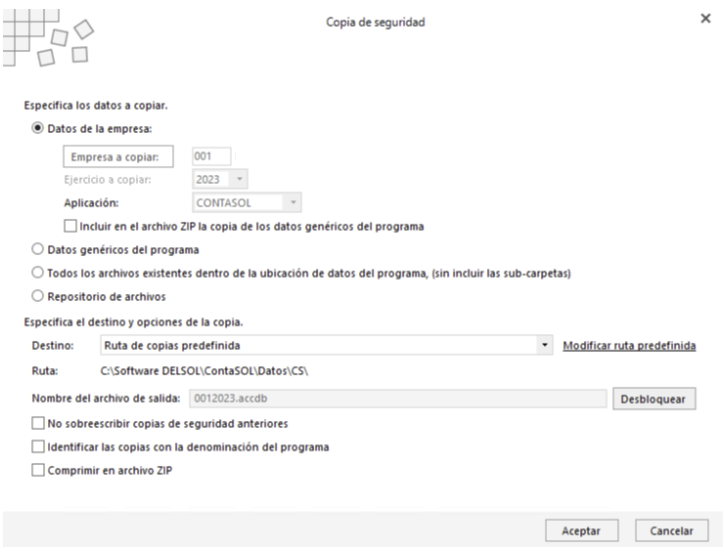
Select the company data
In the backup options:
- Turn on only Datos de la empresa (Company data).
- Keep all the other options turned off.
Download the data
- Click Aceptar.
- DELSOL will download the corresponding backup from the cloud.
- The local Ubyquo data will be updated with the downloaded information.