
Updated on September 24, 2026
Why does Ubyquo suggest an incorrect contra account?
Find out in what order Ubyquo looks for the contra account and why a CIF can lead to an error.
If Ubyquo suggests an incorrect contra account for a bank transaction, you need to review how the matching ledger account is identified and which criteria the system uses to assign it.
Why does Ubyquo suggest an incorrect contra account?
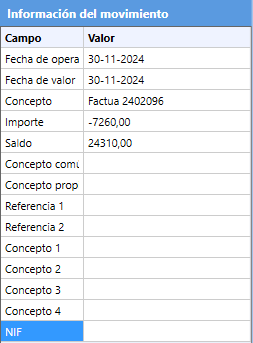
A common situation occurs when Ubyquo finds no resource to determine the contra account and detects a CIF (Código de Identificación Fiscal, the company tax ID) in the bank transaction that matches an account in the chart of accounts.
How Ubyquo searches for contra accounts
To determine the contra account of a bank transaction, Ubyquo follows this search order:
- It checks whether the transaction has already been posted in the ERP or accounting software, within the configured time range.
- It looks for invoices in the ERP or accounting software within the set time range.
- It looks for assignment rules configured for the company.
- It checks whether the detected CIF corresponds to a single account in the chart of accounts.
If the system finds a CIF linked to a ledger account, it may use that account as the contra account.
Solutions
If Ubyquo suggests an incorrect contra account because of an identified CIF, there are two alternatives:
Option 1. Create a rule in Ubyquo (recommended)
Create an assignment rule in Ubyquo to stop the system from using that CIF when determining the contra account.
Option 2. Remove the CIF from the ledger account
Alternatively, you can remove the CIF from the corresponding account in the ERP or accounting software and then update the chart of accounts in Ubyquo.
This option is less recommended, as it changes the account information in the accounting software.
Important
In most cases, the detected CIF belongs to the company owner as an individual, which can cause Ubyquo to assign an account that does not match the bank operation.