
Updated on September 18, 2026
Recibir pedido ERP and Generar factura ERP buttons
Receive complete purchase orders and invoice the allocated delivery notes without leaving Orders & Delivery Notes.
Main buttons in the Orders & Delivery Notes module
Inside Ubyquo's Orders & Delivery Notes module there are two key buttons for managing the purchasing flow efficiently:
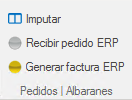
Recibir pedido ERP (Receive ERP order)
- This button lets you receive a purchase order in full from Ubyquo.
- When you use it, the corresponding delivery note is generated automatically with all the items on the order.
- Important: Partial receipt of an order is not supported; it must be received in full.
Generar factura ERP (Generate ERP invoice)
- This button is used to invoice delivery notes that have already been allocated.
- When you click it, the corresponding invoice document is generated within Ubyquo's Purchases module.
- It makes it easier to trace purchase orders, delivery notes and invoices, ensuring the purchasing cycle is posted correctly.