
Updated on 18 September 2026
CI Cloud administrator manual
Learn how to access CI Cloud as an administrator and find your way around its document and workflow menus.
Administrator User Manual – CI Cloud
1
Accessing the CI Cloud Module
Go to: https://cic.quantyca.com
(It may be replaced by the web address of your accounting firm)
User: Your e-mail address
Password: Provided by your accounting firm when the user is activated (received by e-mail)

Forgot your password?
Click “¿Olvidaste tu contraseña?” (Forgot your password?) to receive a new one by e-mail.
2
Home Screen (Administrator View)
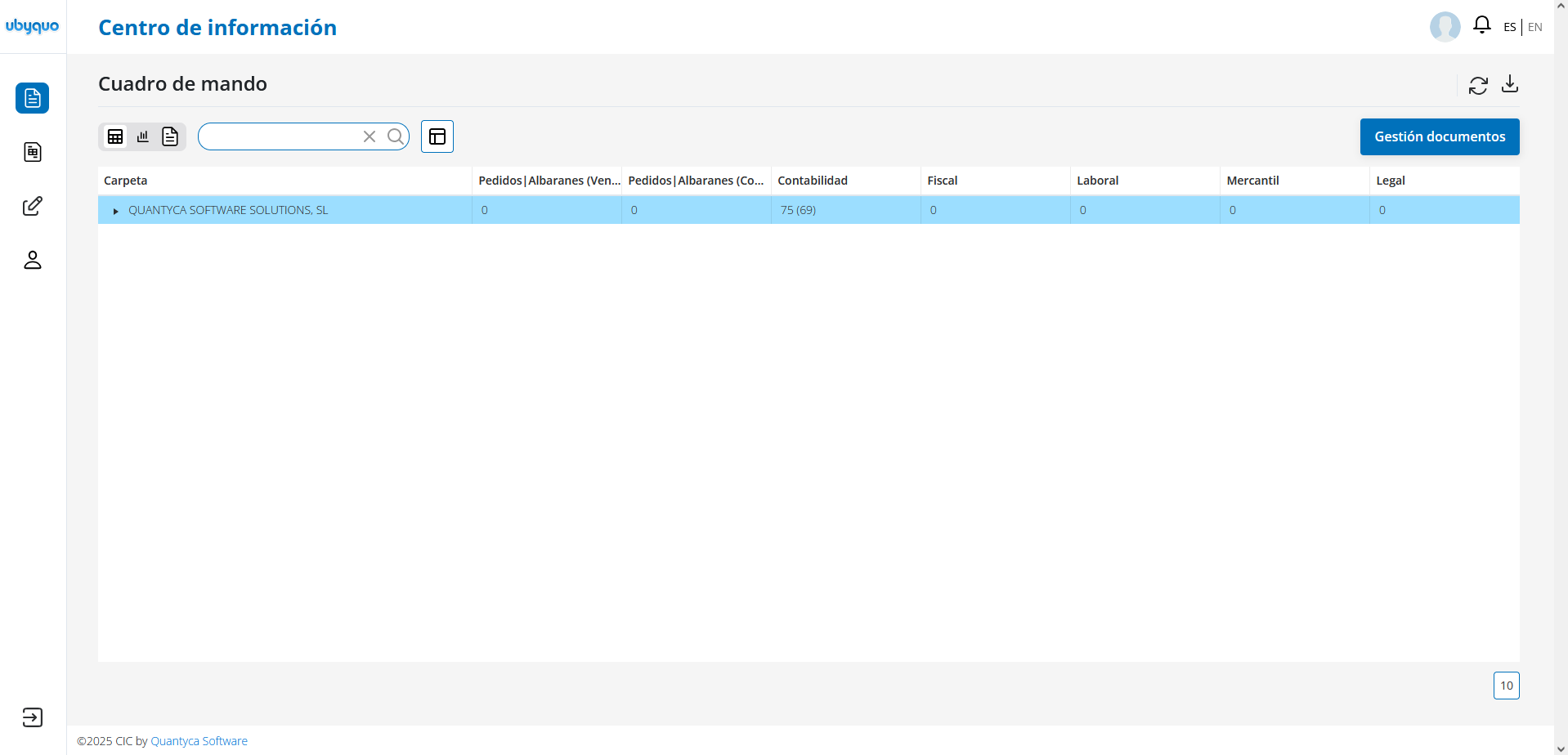


- Expand / Hide menus
- Company logo
Documentos (Documents):
- Cuadro de Mando (Dashboard)
- Gestionar Documentos (Manage Documents)
- Central eFactura
- Facturador (Invoicing tool)
- Gestión de Documentos (Document Management)
- Alta en el Facturador (Sign-up for the Invoicing tool)
Workflows:
- Modo Firma (Signing Mode)
- Modo Consulta (View Mode)
Menú Administración (Administration Menu):
- Mis Datos (My Details)
- Datos de la Cuenta (Account Details)
- Módulos Contratados (Subscribed Modules)
- Consumo (Usage)
- Perfiles de Usuario (User Profiles)
- Usuarios (Users)
- Salir (Log out)

- Account information
- Language change: Spanish / English
3
Documents Menu
Cuadro de Mando (Dashboard)

- Shows folders and departments with their number of documents.
- Lets you refresh the data
- Export to Excel
- Documents added since the last session.
- Refresh
- Export to Excel
- Show / Hide viewer
Gestionar Documentos (Manage Documents)
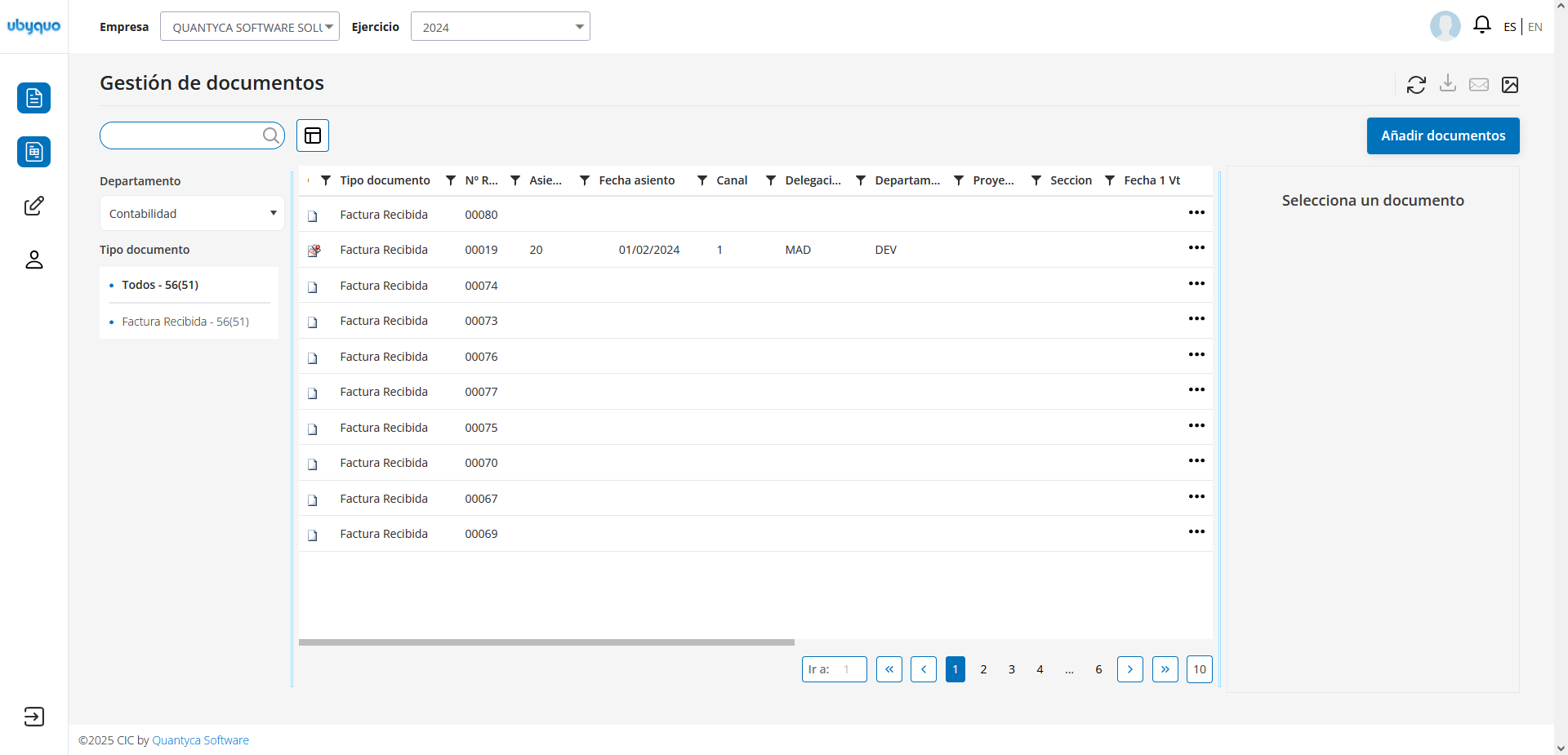
Area to add and view documents.
Top section:
- Company logo
- Notifications:

- — Download to Excel
- — Filter documents by status: ERROR, OK, UPLOADING
- Account information

- Language change
4
Options in Gestionar Documentos
- Empresa (Company): Company selection
- Ejercicio (Fiscal year): Accounting year
- Departamento (Department): ERP (accounting software)
- Buscador (Search): Search for documents
- Refrescar Datos (Refresh Data): Update the view
- Añadir Documentos (Add Documents): Upload files
- Mostrar/Ocultar Columnas (Show/Hide Columns): Customize the view
- Filtros (Filters): Filter by criteria
- Mostrar/Ocultar Visor (Show/Hide Viewer)
- Regenerar Índice (Rebuild Index): Re-index a document
- Descargar (Download): As PDF or Excel
5
Menú Administración (Administration Menu)
- Mis Datos (My Details): Edit your profile
- Datos de la Cuenta (Account Details): General account information
- Módulos Contratados (Subscribed Modules)
- Consumo (Usage): Usage monitor
- Perfiles de Usuario (User Profiles): Configure roles
- Usuarios (Users): Manage system users
- Salir (Log out): Sign out