
Updated on November 19, 2026
Downloading the customer list in Excel and refreshing the table
How to download your Invoicing tool customers to an Excel file and reload the list with up-to-date data.
Download the customer list in Excel
- 1
Click «Descargar clientes»
On the «Clientes» (Customers) tab, click
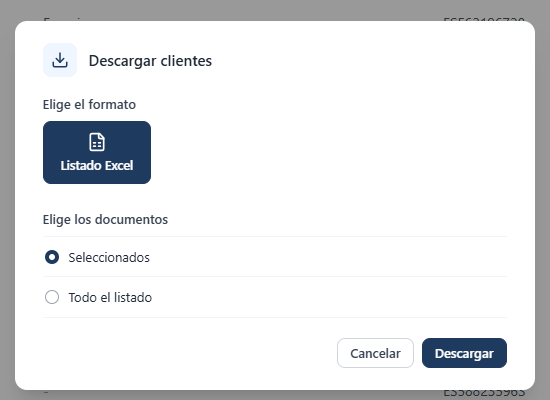
 in the toolbar. The «Descargar clientes» (Download customers) window opens.
- 2
Choose which customers to download
In «Elige los documentos» (Choose the documents), select «Todo el listado» (The whole list), or «Seleccionados» (Selected) if you have ticked some customers in the list first. The format is «Listado Excel» (Excel list).
- 3
Click «Descargar»
An .xlsx file is downloaded with the customers and their columns («Descargar», Download).
Refresh the list
- 1
Click «Refrescar»
Click
 in the toolbar («Refrescar», Refresh). The customer list reloads with up-to-date data.